The difference between your profile data and your store's public data, and where to edit each one.
Last updated: 2026-09-09
🔧 Managing Your Personal Data as the Store Owner/Admin
1
Click your name at the top left of the dashboard, then choose Profile and Security.
2
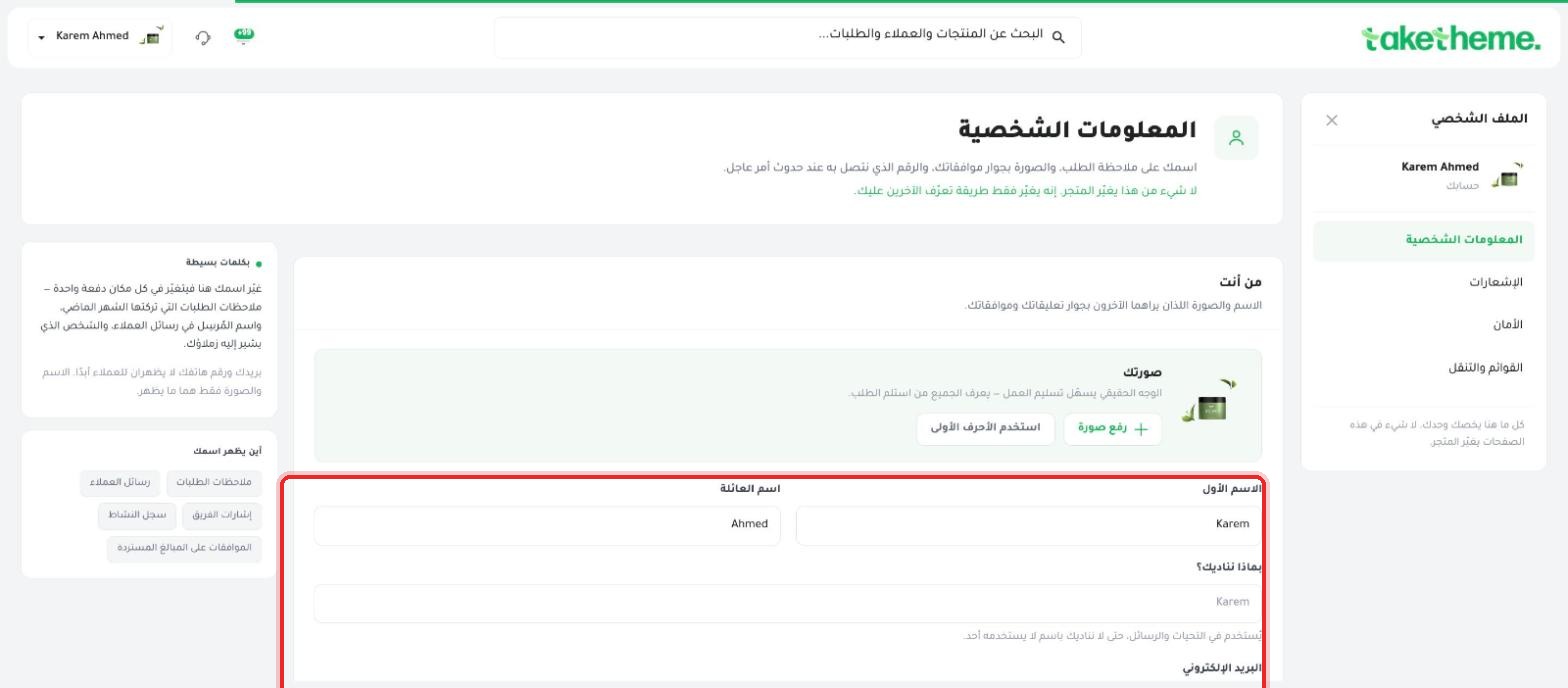
From the Personal Information tab you can edit: your profile picture, first name, last name, "What should we call you?" (a display name used in alerts and messages), and your email.
📍 Personal Information screen with name, picture, and email fields
3
The description at the top of the page states it precisely: "Your name and picture as seen by others next to your comments and approvals... none of this changes the store, it only changes how others recognize you".
4
The Where your name appears section on the left of the page shows exactly where your name shows up: customer messages, order notes, team mentions, activity log, and refund approvals.
⚠️ Disclosure note: This "Personal Information" screen concerns your own account data as a user (name, picture, email), not your store's public data that the customer sees (store name, public contact number, "Contact Us" page). We did not find a clear, separate page titled "Public Store Data" within this session — the closest thing to it is the initial store creation form (store name, industry, phone number) that appears once when creating a new store.
💡 If you need to edit your public store name or the customer contact number shown in the footer or the "Contact Us" page, this is most likely done from within the theme editor or the theme's pages themselves (see the article "Creating Informational Pages"), not from this profile page.
❓ Frequently Asked Questions
If I change my name here, will it change on past orders?
The official description states that your name appears next to "order notes" — the new name will most likely appear next to any future activity, while old records may retain the name as it was at the time they were created. This wasn't tested directly.
Can I use a nickname instead of my real name?
The "What should we call you?" field is designed exactly for this — used in notifications and messages with a name unique to you, separate from your official first and last name.