Enable an extra verification step at login, and monitor the devices signed in to your account.
Last updated: 2026-09-09
🔧 Enabling Two-Factor Authentication (2FA) for Your Account
1
Click your name at the top left of the dashboard, then choose Profile and Security, then from the sidebar choose Security.
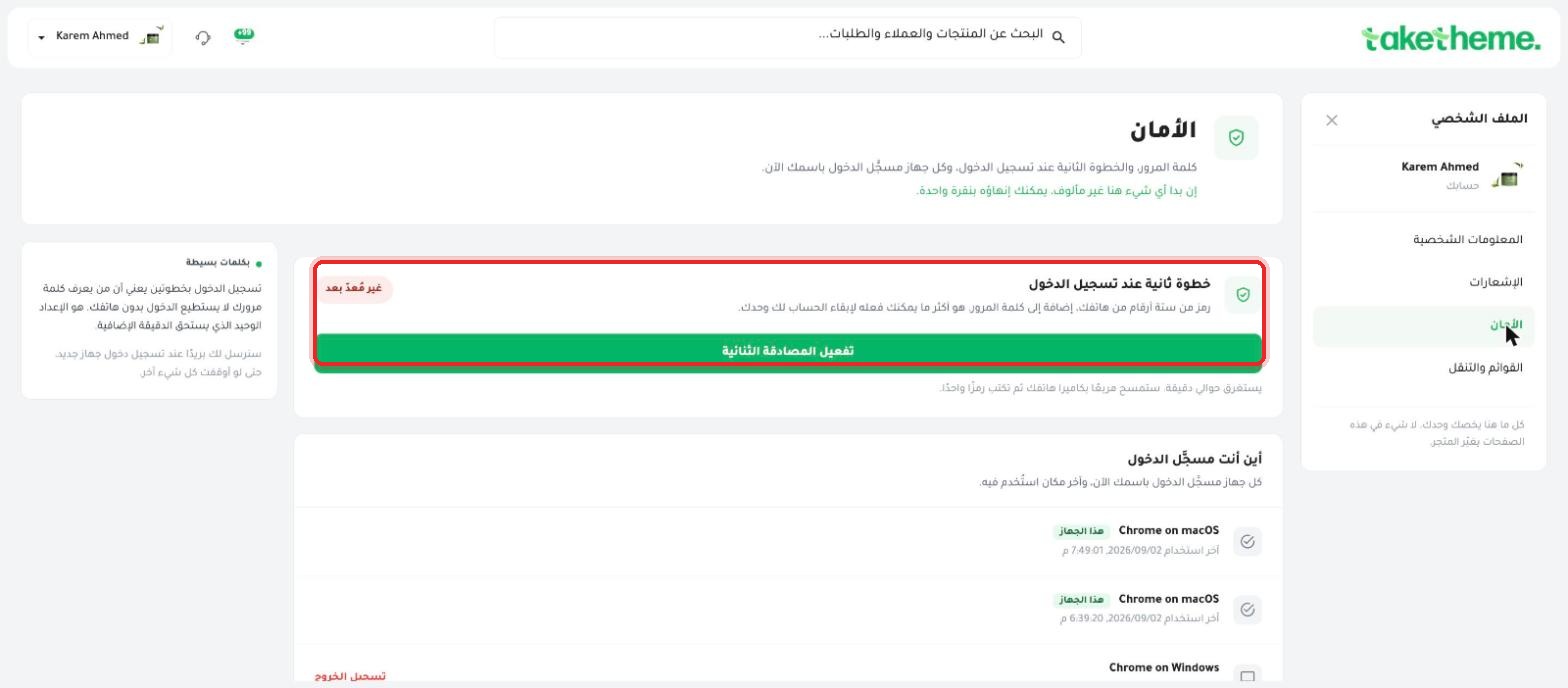
📍 The (Second step at login) section with (Not set up yet) status and an (Enable Two-Factor Authentication) button
2
You'll find the Second step at login status marked with a "Not set up yet" badge — meaning the feature exists but isn't yet enabled on the account we tested.
3
Click Enable Two-Factor Authentication. Based on the text shown, the process takes about a minute: you'll scan a QR code with your phone's camera (using an authenticator app like Google Authenticator), then enter a six-digit code to confirm.
4
Further down the page, the Where you're signed in section shows every device currently signed in to your account (browser type and operating system), the last time it was used, and a "this device" label for the current session.
5
If you find a device you don't recognize or that looks suspicious in the list, click Log Out next to it to end that session immediately without affecting your other devices.
💡 The explanatory text states that enabling two-factor login means someone who knows your password alone won't be able to log in to your account without your phone — a simple security addition well worth the minute it takes.
❓ Frequently Asked Questions
If I lose my phone after enabling two-factor login, will I still be able to access my account?
We did not test the lost-phone scenario directly within this session — two-factor authentication systems typically provide backup codes at setup time, so save them somewhere safe, or otherwise contact TakeTheme support to recover access.
Is enabling two-factor login mandatory?
Based on the screen we saw, the default status was "Not set up yet", meaning it's optional and not automatically enforced — but it's strongly recommended to protect an account holding your store and customer data.