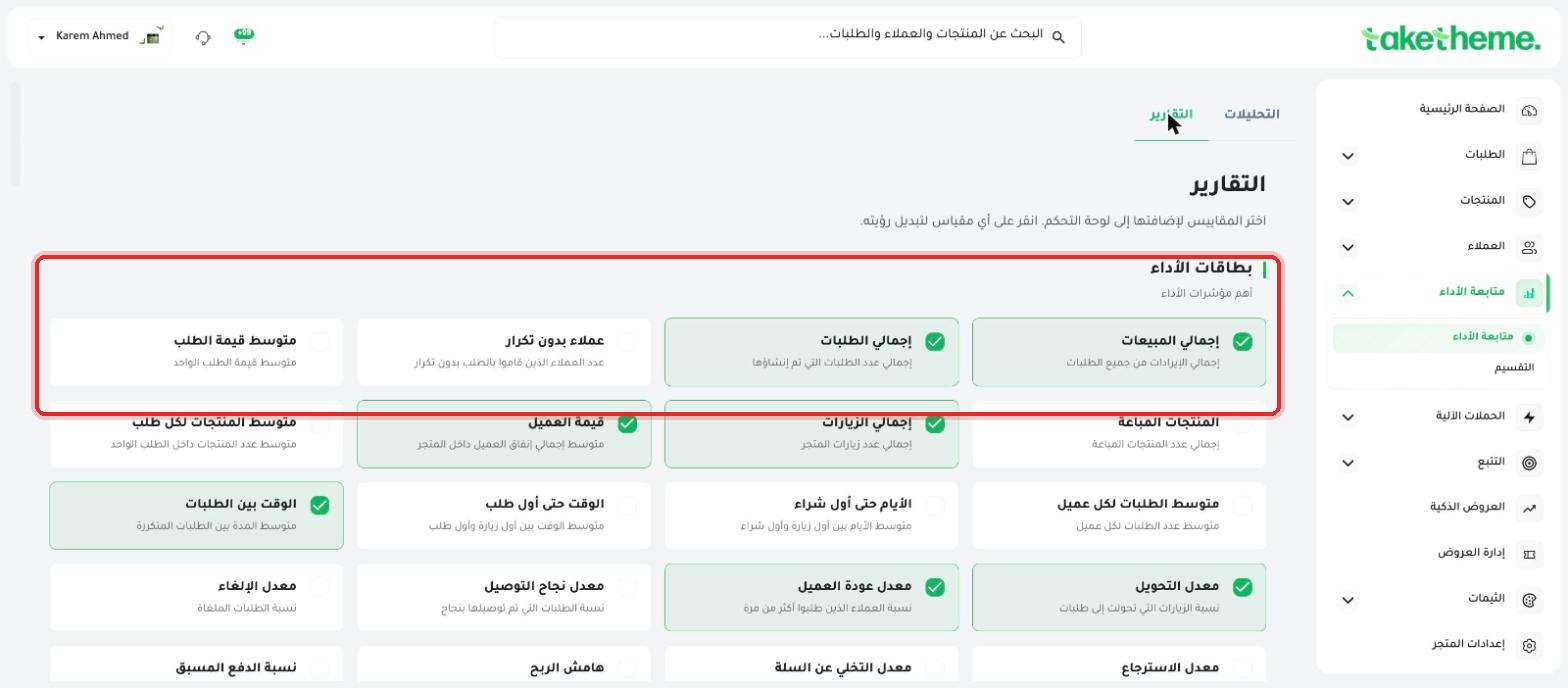
Enable products-sold metrics from the large reports catalog.
Last updated: 2026-09-09
🔧 Tracking Your Products' Performance from Analytics
1
From the Analytics page, go to the Reports tab at the top right of the page to open the full metrics catalog.
2
You'll find a clear description: "Choose the metrics to add to your dashboard. Click any metric to toggle its visibility" — meaning this page is a large bank of metrics you can pick the ones that matter to you from.
📍 Enable-able metric cards such as (Average Order Value), (Products Sold), (Average Products per Order)
3
From the Performance Cards section, enable the Products Sold metric (total number of products sold) and Average Products per Order (average number of products within a single order) by clicking on each card.
4
As soon as any metric is enabled, it appears as a KPI card on the main Analytics page alongside the other enabled cards (like total sales and conversion rate).
⚠️ Disclosure note: We did not find a direct list titled "Best-Selling Products" with automatic ranking within this specific page — what's available is aggregate numeric metrics (number of products sold, average per order). If you need to rank individual products by best-selling, check the products report itself from the Products section in the sidebar, where the number of sales per individual product is shown.
💡 Other useful metrics for product performance exist in the same catalog under a separate products section — look for them using the search box if present, or check the metric categories such as "Operations and Fulfillment" and "Search and Engagement".
❓ Frequently Asked Questions
Can I rank my products by sales directly from the analytics page?
We did not find a direct ranking table for individual products by sales within the analytics/reports page in this session — check the products page itself as an alternative.
Are enabled metrics synced across all team members?
We did not verify this directly — the analytics dashboard configuration is most likely tied to the store as a whole rather than per user, but this wasn't tested with a second team account in this session.