
Activating Your Plan After the Trial
Compare plans and pick the right one for your store.
Last updated: 2026-09-27
🔧 Steps to activate your plan
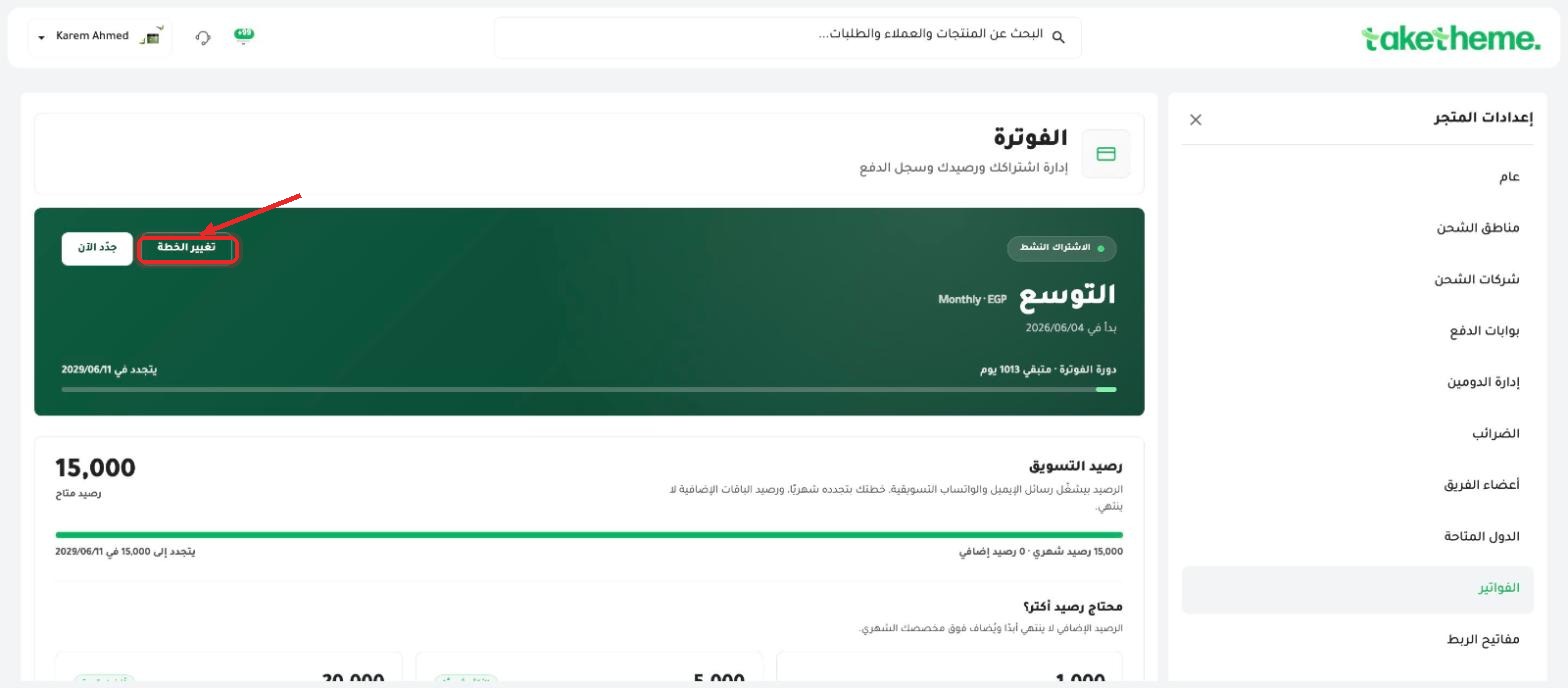
📍 Current subscription card with the (Change plan) and (Renew now) buttons on the Billing page
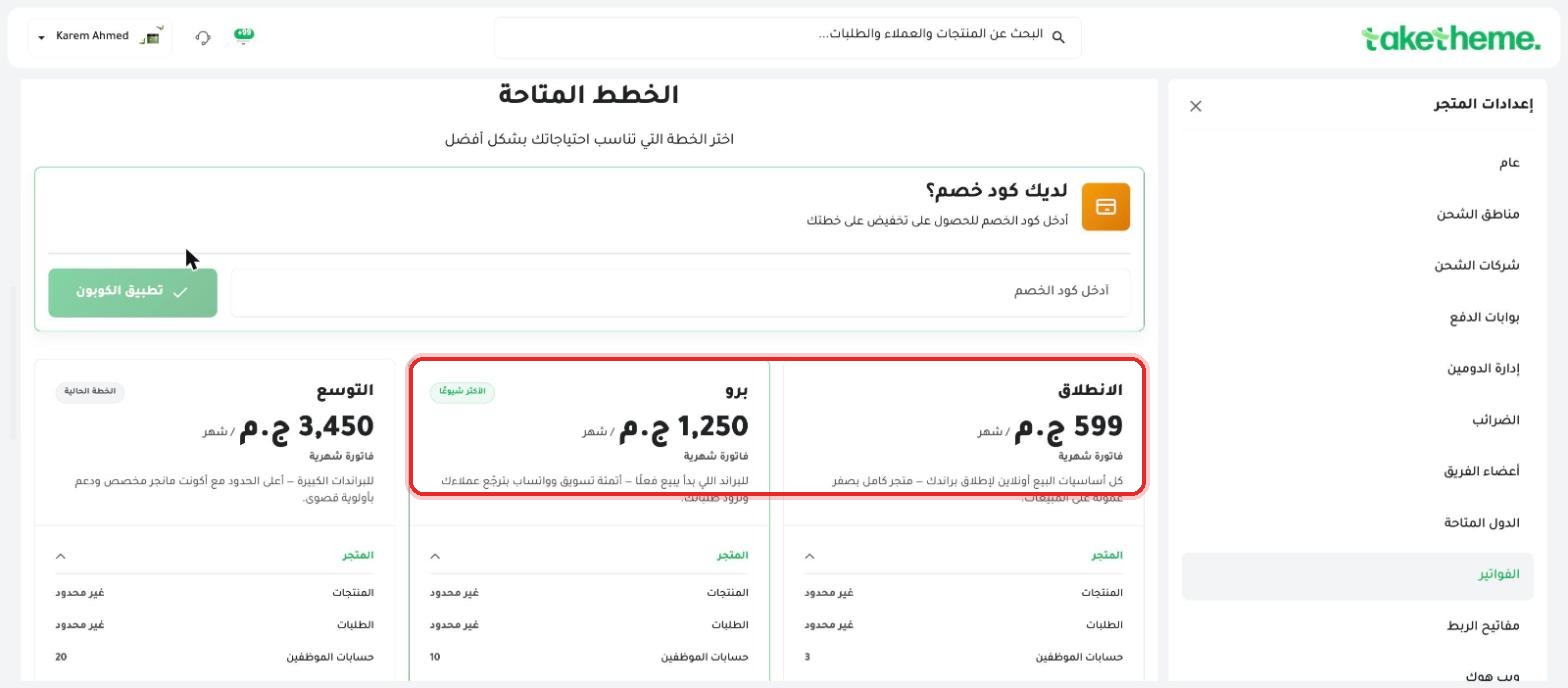
📍 The three available plans: Launch, Pro, and Scale, with the monthly price for each
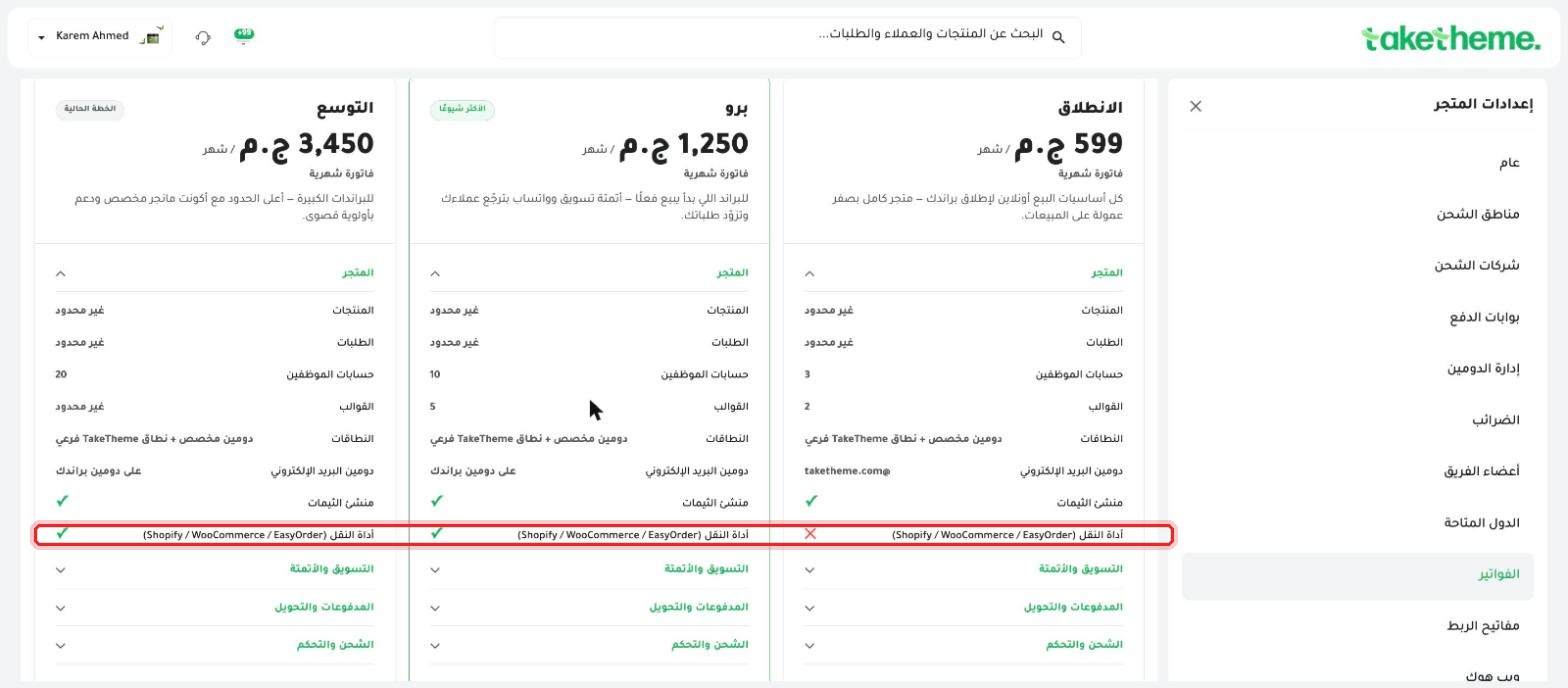
📍 Detailed comparison of each plan's features — for example, the migration tool from another platform is only available on Pro and Scale
❓ Frequently Asked Questions
What's the core difference between the three plans?
The main difference is in the number of staff accounts and available templates, plus advanced features like the Migration Tool, which is only available on Pro and Scale, and a custom email domain for your brand (instead of @taketheme.com), available from the Pro plan.
If I upgrade mid-month, do I pay the difference immediately or at the end of the cycle?
The exact financial details for calculating the difference appear on the same upgrade confirmation page after you click Select — review them there before final confirmation.
Can I go back to a lower plan after upgrading?
Yes, from the same Change plan page you can choose a lower plan at any time, but if your new plan supports fewer features or lower limits than what you're actually using (like more templates than the allowed limit), you'll need to adjust the difference manually first.

ابدأ اليوم
Plans from EGP 599/month — 0% commission
3-day trial · no credit card