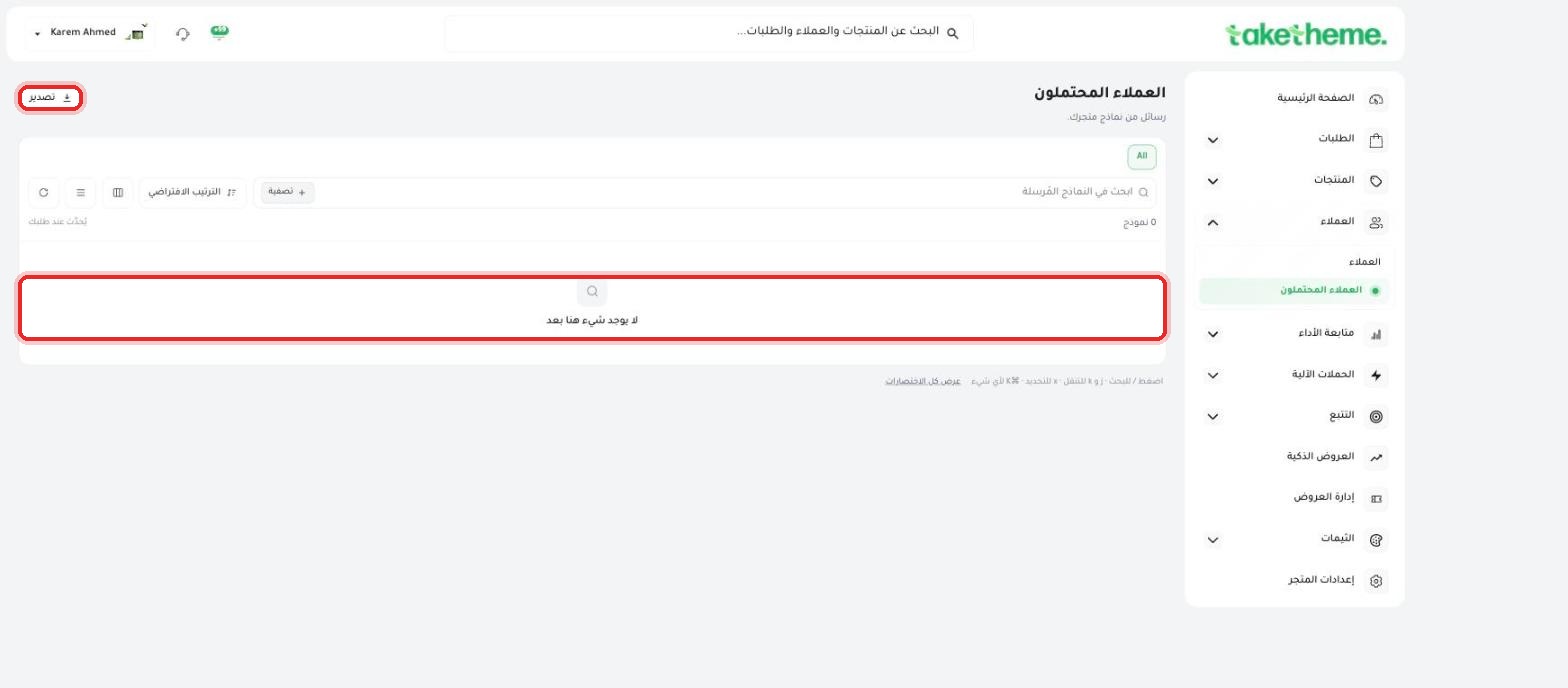
Receive and review contact form messages from your store via the Leads page.
Last updated: 2026-09-09
🔧 Accessing contact form submissions from your store
💡 A note on naming: this feature exists in the dashboard under the name "Leads" (its internal link is /form-submissions), and it's where messages sent from contact forms on your store arrive.
1
From the sidebar, open Customers → Leads. You'll find a page titled "Leads" with the subtitle "Messages from your store's forms."
📍 Leads page (contact form submissions) — empty state, with an "Export" button and filter and sort options
2
The page shows a table of every message received from your store's forms (such as a "Contact us" form on the storefront), with Filter and Sort options for searching among them, and an Export button to export the list.
💡 We checked this page directly in the test environment and found it showing "0 forms" in an empty state ("There's nothing here yet") because no one had submitted a message from a contact form on this test store yet. That means we can't confirm the details of what a single message looks like (sender details, message content, etc.) until a real message arrives, but the page's structure (the table, the export button, the filter and sort options) is in place and ready to receive messages.
❓ Frequently asked questions
What contact form feeds this page?
Any contact or inquiry form on your storefront (like a "Contact us" page) sends its messages to appear on this "Leads" page.
Why is the page called "Leads" and not "Contact form submissions"?
That's the name TakeTheme chose for the feature in the dashboard, and the idea is that anyone who sends you a message through a form on your store counts as a "lead" who might turn into an actual customer later.
Can I export the messages to a file?
Yes, there's an "Export" button at the top of the page that lets you export the list of incoming messages.