The current state of bulk-importing customer data and the available alternatives.
Last updated: 2026-09-09
🔍 The current state of importing customers
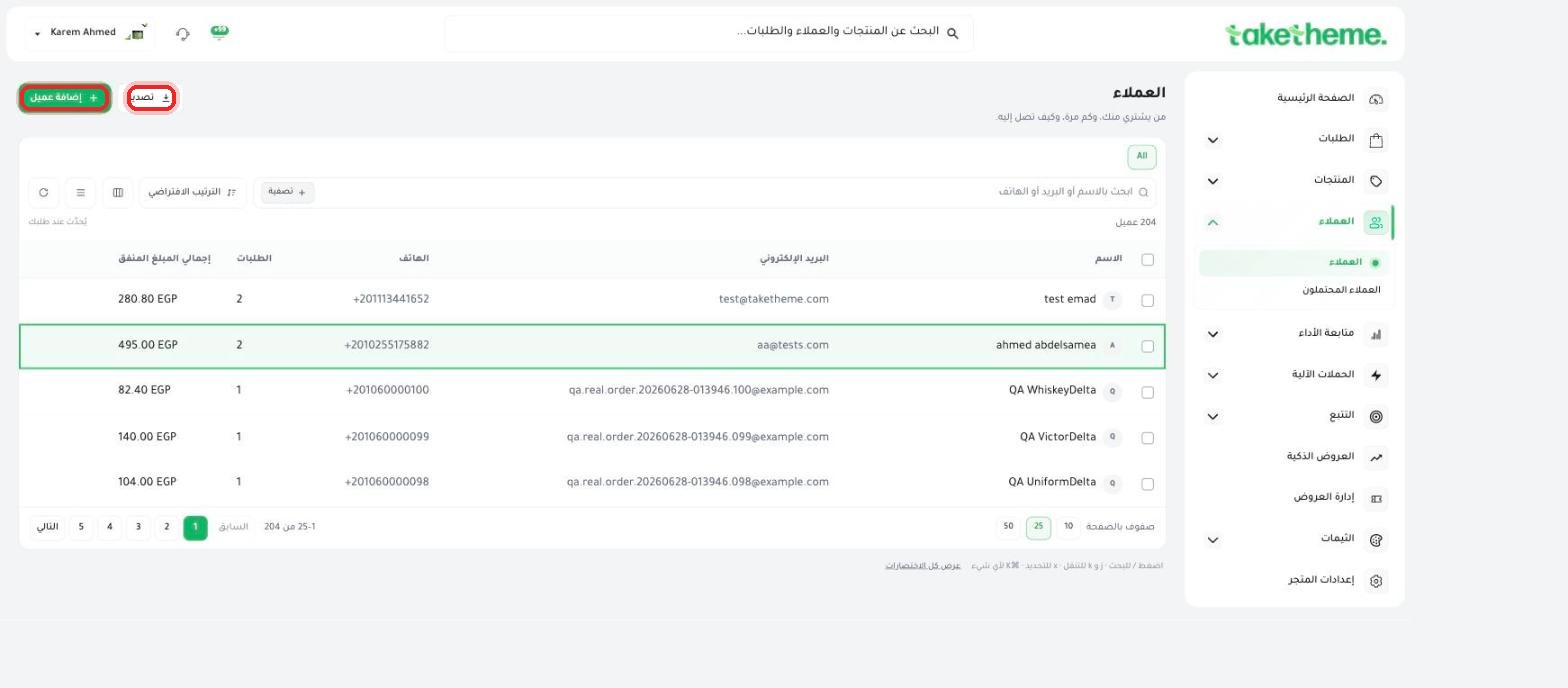
We reviewed the Customers page in the TakeTheme dashboard in detail (the "Export" button, toolbar icons, and the "+ Add customer" form) and currently found no button or dedicated option to import a customer list from a CSV or Excel file, unlike the Products page, which has an explicit import button for product files.
📍 Top of the Customers page — the only button currently available is "Export," with no file-import option
💡 Important: we confirmed there is no bulk customer import feature in this version of the dashboard at the time of writing. The currently available ways to add customers to your store are: (1) adding each customer manually via the "+ Add customer" button, or (2) customers registering automatically when they create an account or complete a purchase from your storefront.
🔧 The available alternative: adding customers manually
1
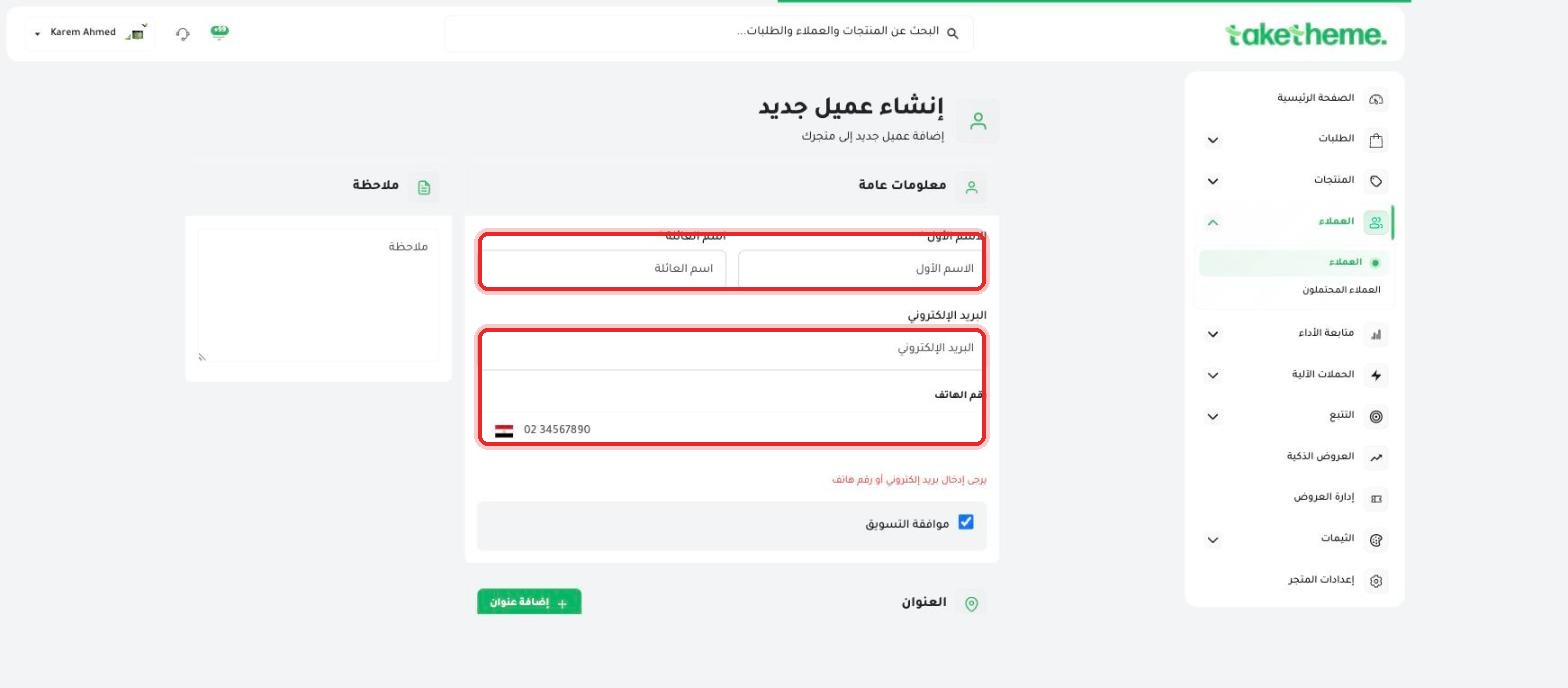
Open Customers → Customers from the sidebar, and click + Add customer.
📍 Manual customer addition form — the currently available alternative to bulk import
2
Fill in each customer's details (name, email or phone number, and address if you like) and save, then repeat the step for every customer you want to add.
💡 If you have a large customer database from another store or system and want to migrate it to TakeTheme, we recommend contacting the technical support team to find out about the latest available options, since features are updated continuously.
❓ Frequently asked questions
Will a customer file-import feature be added in the future?
We've documented the actual state here as of the time of writing. To find out the latest update on this feature, contact the TakeTheme support team directly.
Can I import customers from an Excel file the way I import products?
No, file import is currently available for products only (from Products → Import), and not available for the customer list.