How to choose and evaluate the right theme for your product category before publishing it.
Last updated: 2026-09-09
🔧 Choosing the right theme for your store
1
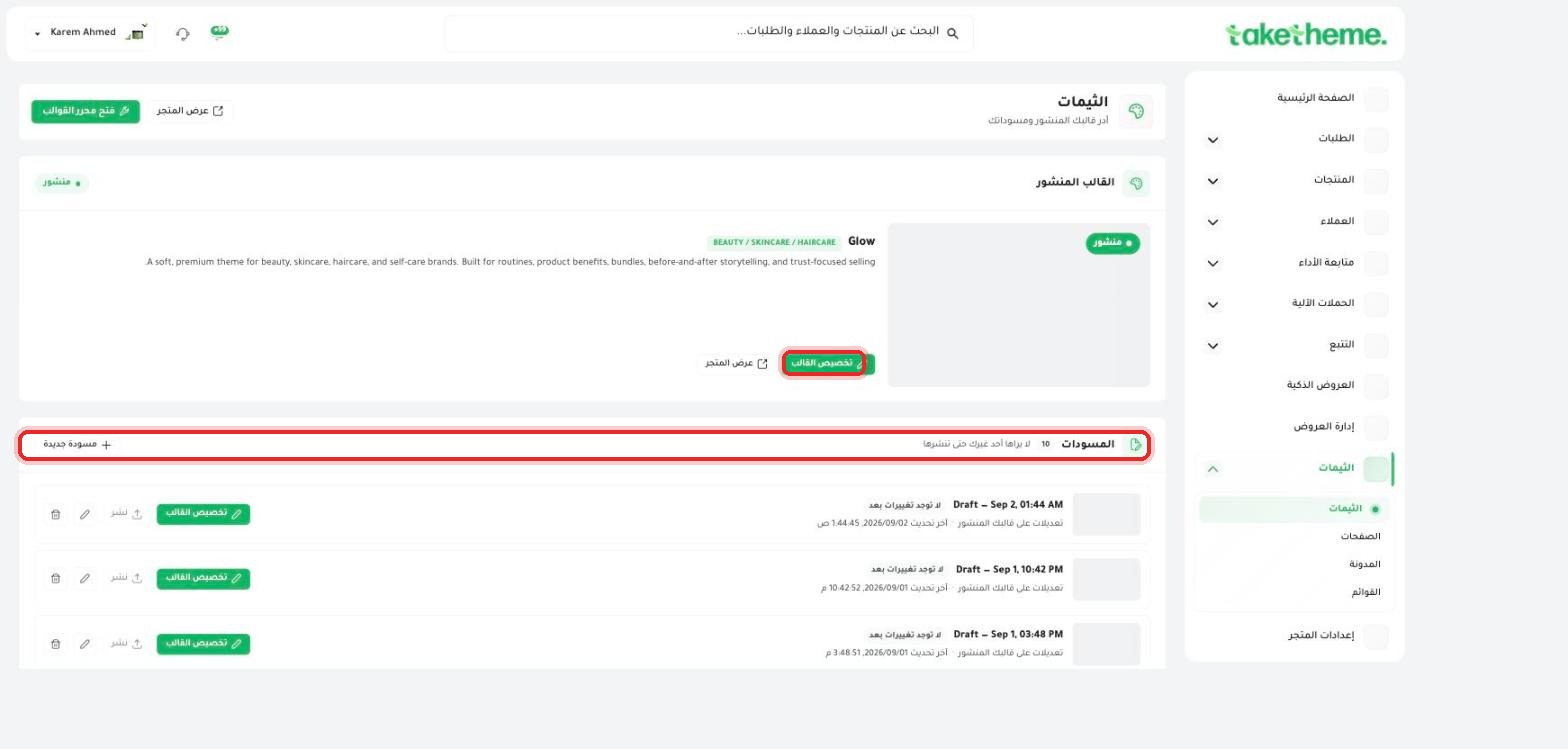
From the sidebar, go to Themes — at the top of the page you'll find the currently published (Live) theme. In the store we tested it was the Glow theme, designed specifically for Beauty / Skincare / Haircare stores.
📍 The published theme card with its category (BEAUTY / SKINCARE / HAIRCARE) and description, and the Drafts section below it
2
Every theme comes with a clear description of the store type it was designed for (like "Built for routines, product benefits, bundles, before-and-after storytelling, and trust-focused selling") — use this description as an initial guide to whether the theme fits your product category or not.
3
Before deciding, click View store next to the published theme to see the final interface exactly as the customer sees it, not just a thumbnail.
⚠️ Verification note: In the store we tested, the themes available for selection appear as ready-made drafts (10 drafts) rather than a public gallery for browsing new themes from within this page — meaning choosing the "right theme" in practice means reviewing and trying the drafts available on your account, not browsing an open theme store. If you need themes other than the ones available, contact TakeTheme support.
💡 If you're not sure about the right theme, try more than one draft with your actual products (not sample images) before deciding — a theme's look changes a lot depending on the type of images and headlines you put in it.
❓ Frequently Asked Questions
Can I use the same theme for a store that isn't Beauty/Skincare?
Technically you can use any theme for any product, but the design, sample images, and default copy are typically built for a specific category — you'll need to edit the images and text to fit your category.
Does changing the theme affect my products and orders?
No, the theme only controls the look and design — your data (products, orders, customers) is completely separate from the theme and isn't affected by changing it.
Is there an extra cost for using a certain theme?
We haven't verified whether there are pricing differences between themes within this interface — check the Plans page or contact support to confirm the pricing details for your account.