Create and reorder header and footer menu items in your store, including multi-level menus.
Last updated: 2026-09-09
🔧 Editing navigation menus (header and footer)
1
From the sidebar, open Themes then choose the sub-item Menus.
2
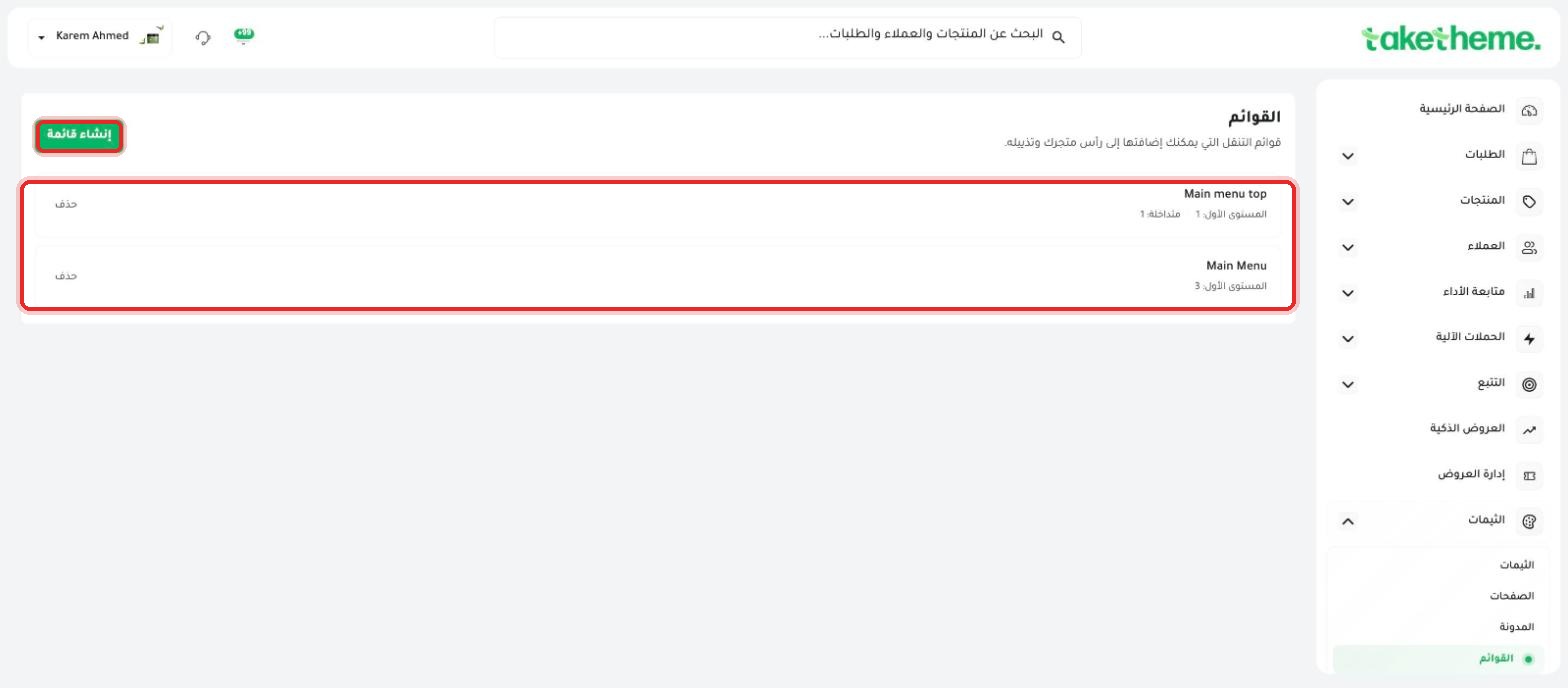
You'll find all the navigation menus in your store — in the store we tested there were two menus: Main menu top (one top-level item), and Main Menu (3 top-level items).
📍 The menus list with the item count for each menu, and explanatory text: (Navigation menus you can add to your store's header and footer)
3
Click any menu name (like Main Menu) to open its item editor.
4
From the Menu details section you can change the menu's internal Title (a reference name only, not shown to the customer), and open Advanced options for additional settings.
5
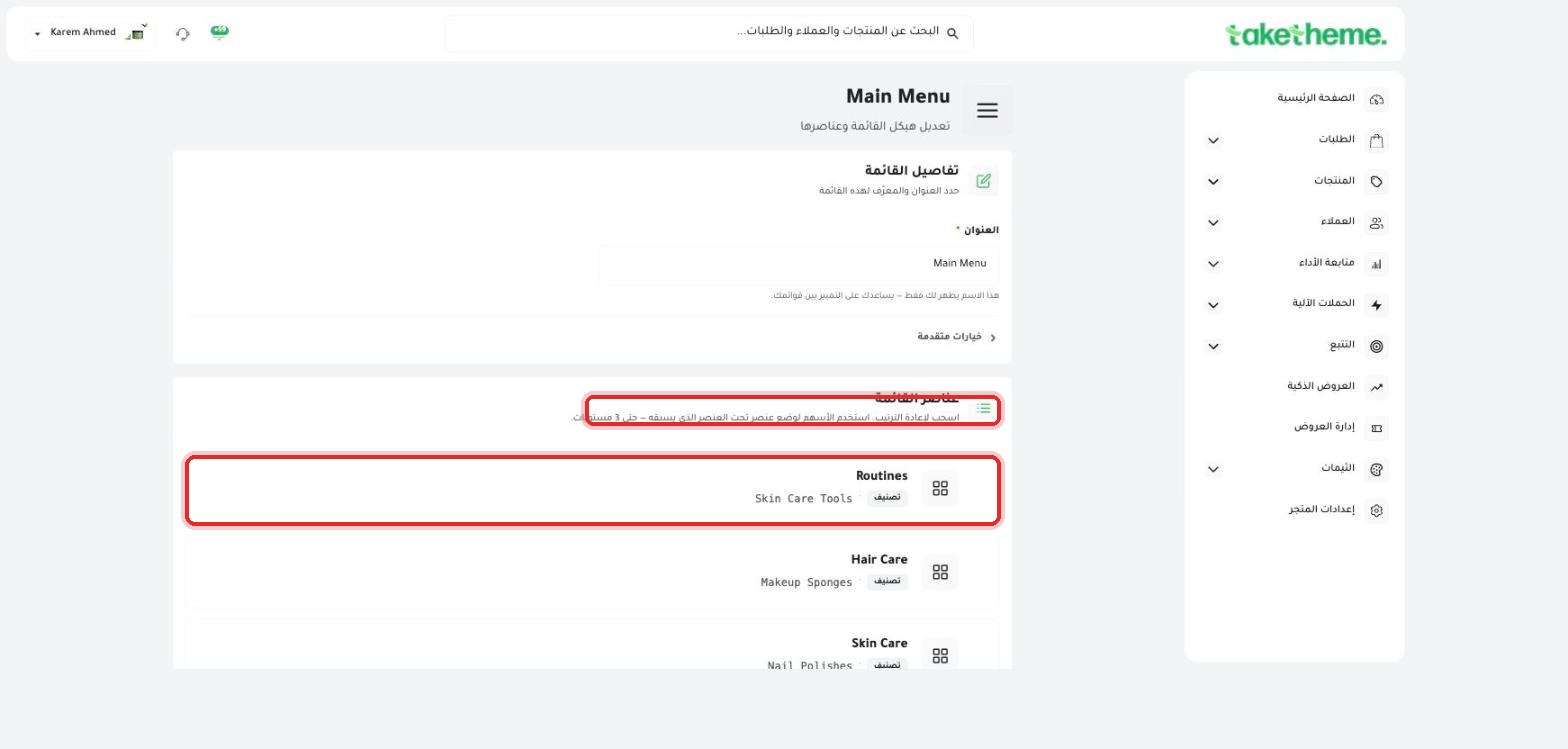
From the Menu items section you can drag any item with the mouse to reorder it, or drag it under another item to make it a Sub-menu — the system supports up to 3 levels of nesting.
📍 Menu items (Routines, Hair Care, Skin Care) with their linked categories, and the drag icon for reordering
💡 Every item in the menu can be linked to a product category that already exists in your store — meaning that when you edit the category itself, its name in the menu updates automatically if it's linked to it.
❓ Frequently Asked Questions
How do I make a certain menu appear in the footer instead of the header?
After creating or editing the menu from here, you need to link it to where it appears (header or footer) from within the dedicated sections for each in the theme editor — the menu itself here is an item bank you can use in more than one place.
Can I add an external link (to another site) in the menu?
Based on the menu items we saw being linked to internal categories, there's most likely also an option to add a Custom link — but we haven't specifically tested this option directly in this session.
What's the maximum number of levels for sub-menus?
We noticed explicit text in the dashboard saying "Use the arrows to reorder an item under a preceding item — up to 3 levels."