There's no built-in speed measurement tool in the dashboard yet — here are the alternatives and practical steps to improve it.
Last updated: 2026-09-09
🔧 Is there a speed measurement tool in the dashboard?
1
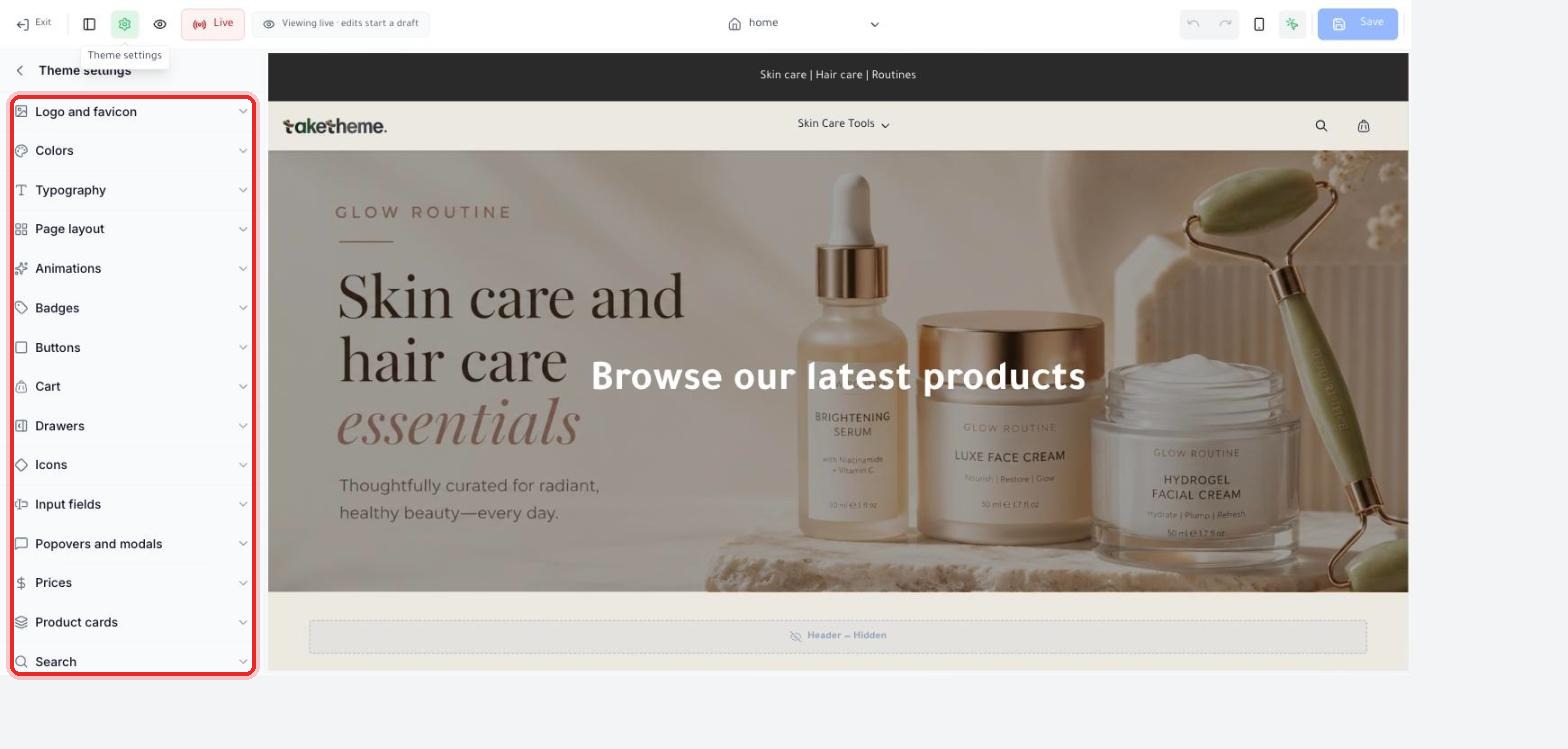
We reviewed the full theme settings list (Logo and favicon, Colors, Typography, Page layout, Animations, Badges, Buttons, Cart, Drawers, Icons, Input fields, Popovers and modals, Prices, Product cards, Search, and others) looking for any indicator or report on store loading speed.
📍 The full theme settings list as it appeared in the dashboard
⚠️ Verification note: We did not find a dedicated section for measuring or displaying store loading speed (Performance score / PageSpeed) within the TakeTheme dashboard in this version. The closest section is Animations, which controls transition effects — an indirect indicator at best, not an actual measurement tool.
2
A practical alternative: use a free external tool like Google PageSpeed Insights or GTmetrix, and enter your published store's URL directly to measure actual load time and see the recommendations.
💡 Practical steps to improve speed from within the dashboard
3
Reduce the number and size of images in each section (especially Hero banner images) — large images are usually the number one cause of slowness in any online store.
4
Limit the number of sections and animations on the homepage to what's necessary only — every extra section and every animation adds to loading time.
5
Review old drafts you don't need and delete them from the Themes page — this is more of a housekeeping step than a direct speed improvement, but it makes it easier to keep track of the actual theme.
💡 We haven't verified whether there's an automatic counter or warning inside the dashboard about the size of uploaded images — so it's currently the merchant's responsibility to compress images before uploading using an external tool like TinyPNG.
❓ Frequently Asked Questions
Does the number of products in my store affect loading speed?
The number of products itself has less impact than the size of the images used and the number of sections on each page — a single product page with large images can be slower than a collection page with hundreds of products and optimized images.
Does changing the theme affect speed?
Yes, themes differ in the number and complexity of sections and animations used by default, so a theme with lots of animations and background images will be slower than a simple theme — try measuring speed with an external tool before and after trying any new theme.