Use the draft system to safely try new themes before publishing them to your customers.
Last updated: 2026-09-09
🔧 Trying a new theme without affecting your published store
1
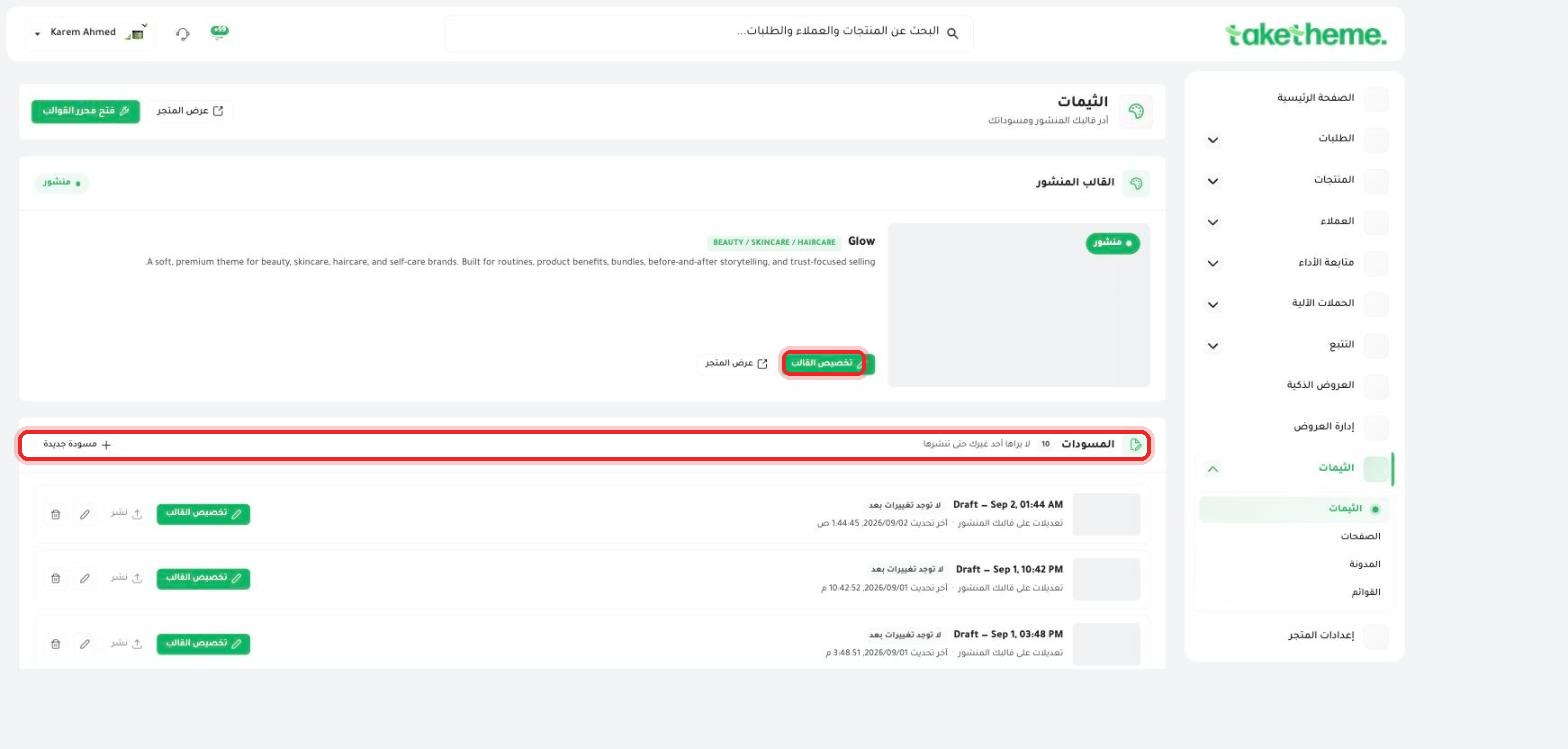
From the Themes page, you'll find a Drafts section right below the published theme — in the store we tested there were 10 ready-made drafts.
📍 The Drafts section (10 drafts) with the note (No one but you can see it until you publish it)
2
The note explicitly written under the section name says: "No one but you can see it until you publish it" — meaning any edit or new theme you open from here stays private to you, and customers keep seeing the current published theme as long as you're working on the draft.
3
Open any draft and click Customize theme next to it to edit and try it in the theme editor without any risk to the store currently running.
4
When you're happy with how the draft looks, you'll find a Publish button next to it in the same list — clicking it is what turns that draft into the actual published theme.
💡 The options we saw next to each draft are: 🗑️ Delete, ✏️ Customize theme, ⬆️ Publish — meaning you can delete any draft you don't need without ever affecting the published theme.
⚠️ Verification note: Your data (products, orders, customers, text content on pages linked to your store) is separate from the theme file itself, so switching themes or trying a new draft doesn't erase any actual data — but any visual customization you made manually inside the old theme (section order, images uploaded manually in specific sections) might not automatically carry over to the new theme, since it's tied to each theme's individual design.
❓ Frequently Asked Questions
Can I go back to the old theme after publishing a new one?
If the old theme is still among your drafts, you can open it and publish it again at any time. For safety, we recommend not deleting a theme that was previously published until you're sure about the new one.
Does trying a draft affect the speed or performance of the published store?
No, drafts are completely separate from the published version and aren't loaded or shown to customers until after publishing, so there's no impact on the current store's performance while you're experimenting.