Connect the channels your automated campaigns send through via WhatsApp and email.
Last updated: 2026-09-09
🔍 Correction: only email and WhatsApp are available
💡 This section's title in the original content plan referenced an SMS channel, but our direct review of the channels page in the dashboard confirmed there are only two channels: email and WhatsApp — with no separate SMS option.
1
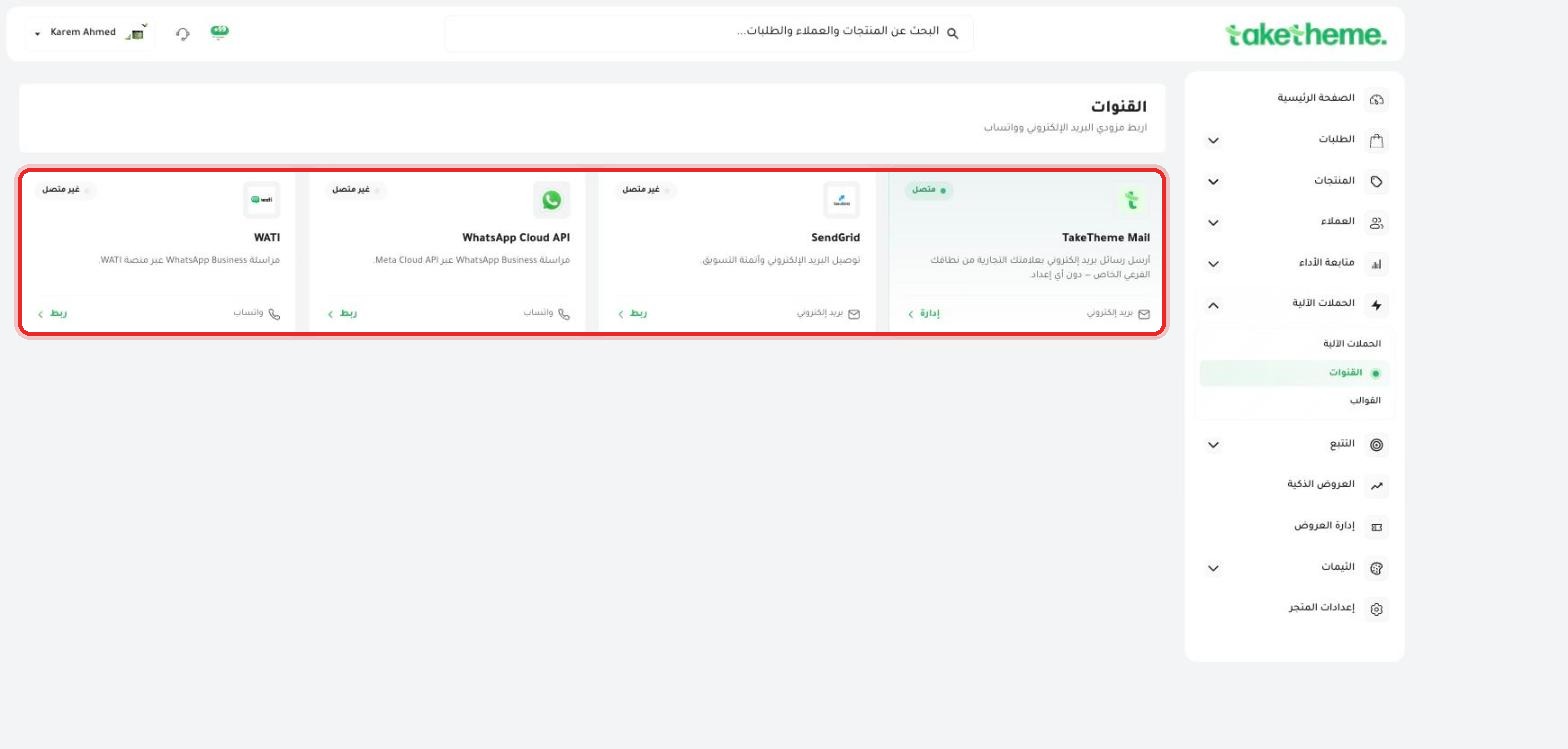
From Automated Campaigns → Channels, you'll find 4 connection options spread across two channels:
📍 Channels page — WATI and WhatsApp Cloud API for WhatsApp, SendGrid and TakeTheme Mail for email
WhatsApp via WATI: WhatsApp Business provisioning through the WATI platform.
WhatsApp via WhatsApp Cloud API: a direct connection through Meta's Cloud API.
Email via SendGrid: for email delivery and marketing automation using your own SendGrid account.
Email via TakeTheme Mail: the default channel enabled automatically with no additional setup.
2
Click Connect next to the channel you want to enable, and enter the required account details (API Key or login credentials, depending on the provider).
💡 TakeTheme Mail is connected by default from day one — you can send email campaigns instantly with no setup, and connect SendGrid later if you need more control over deliverability for higher message volumes.
❓ Frequently Asked Questions
What's the difference between WATI and WhatsApp Cloud API?
WATI is an intermediary platform for managing WhatsApp Business with a ready-made interface, while WhatsApp Cloud API is a direct connection to Meta's own tools — the choice depends on your preference and technical experience.
Do I need to connect SendGrid if TakeTheme Mail is working?
No, it's not necessary — TakeTheme Mail is a ready default channel. Only connect SendGrid if you have a specific need for higher sending volume or more detailed tracking.