Where to find performance metrics for each type of your marketing campaigns.
Last updated: 2026-09-09
🔍 Where do you find your marketing campaigns' performance?
We reviewed the dashboard looking for a unified report of all marketing campaigns' performance gathered in one place, and found that performance metrics are spread out by campaign type instead of one central report:
1
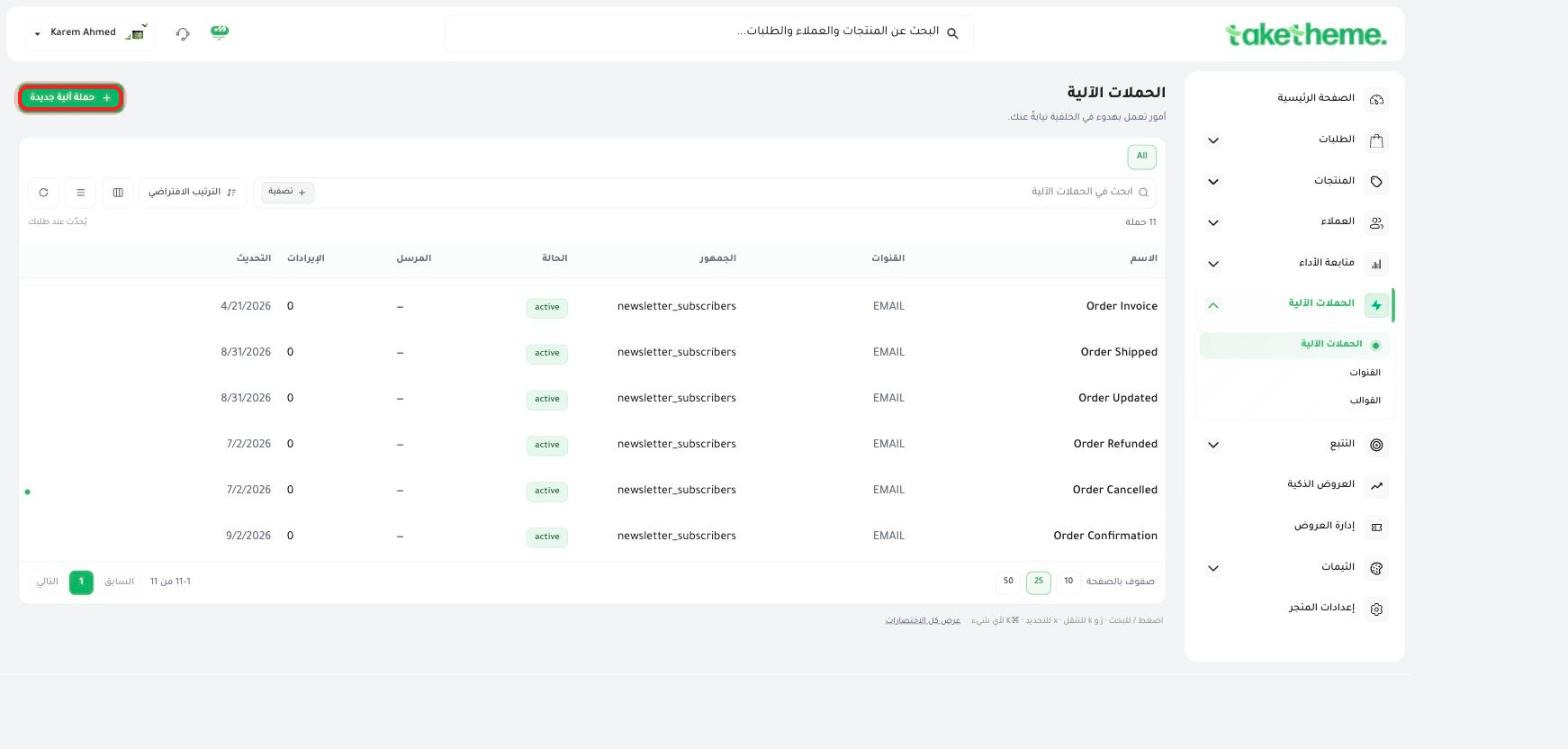
For Automated Campaigns (order automations, abandoned cart, segments): open Automated Campaigns from the sidebar — the table shows a Revenue column for each campaign individually.
📍 Automated campaigns list — the revenue column and each campaign's status (active/paused)
2
For Smart Offers (bundles, cart drawer, post-purchase, quantity discounts, popup offers): open the Overview tab on the Smart Offers page — it shows total revenue, conversion rate, and the revenue breakdown across the five types.
3
For discount code performance: open Manage Offers — the table shows the usage count for each code.
4
For sales and orders at the store-wide level: open Analytics → Analytics for comprehensive sales and conversion reports.
💡 There's currently no single report that combines all channels (email + WhatsApp + smart offers + coupons) into one unified screen — to track a specific campaign's full performance, check its dedicated page from the list above.
❓ Frequently Asked Questions
Can I see the open rate for email messages?
We did not find a detailed "Open Rate" metric per campaign at the time of review — what's currently available is the total revenue linked to each campaign.
Where do I find my best-performing campaign?
Compare the revenue column on the Automated Campaigns page, or each type's share of the revenue source in the Overview tab within Smart Offers.