Your complete guide to the five types of smart offers in TakeTheme.
Last updated: 2026-09-09
🔍 Important correction: five types, not six
💡 We reviewed the Smart Offers page directly in the dashboard, and found it clearly presents itself as "five types of smart offers" — not six. The full details of the five types are below.
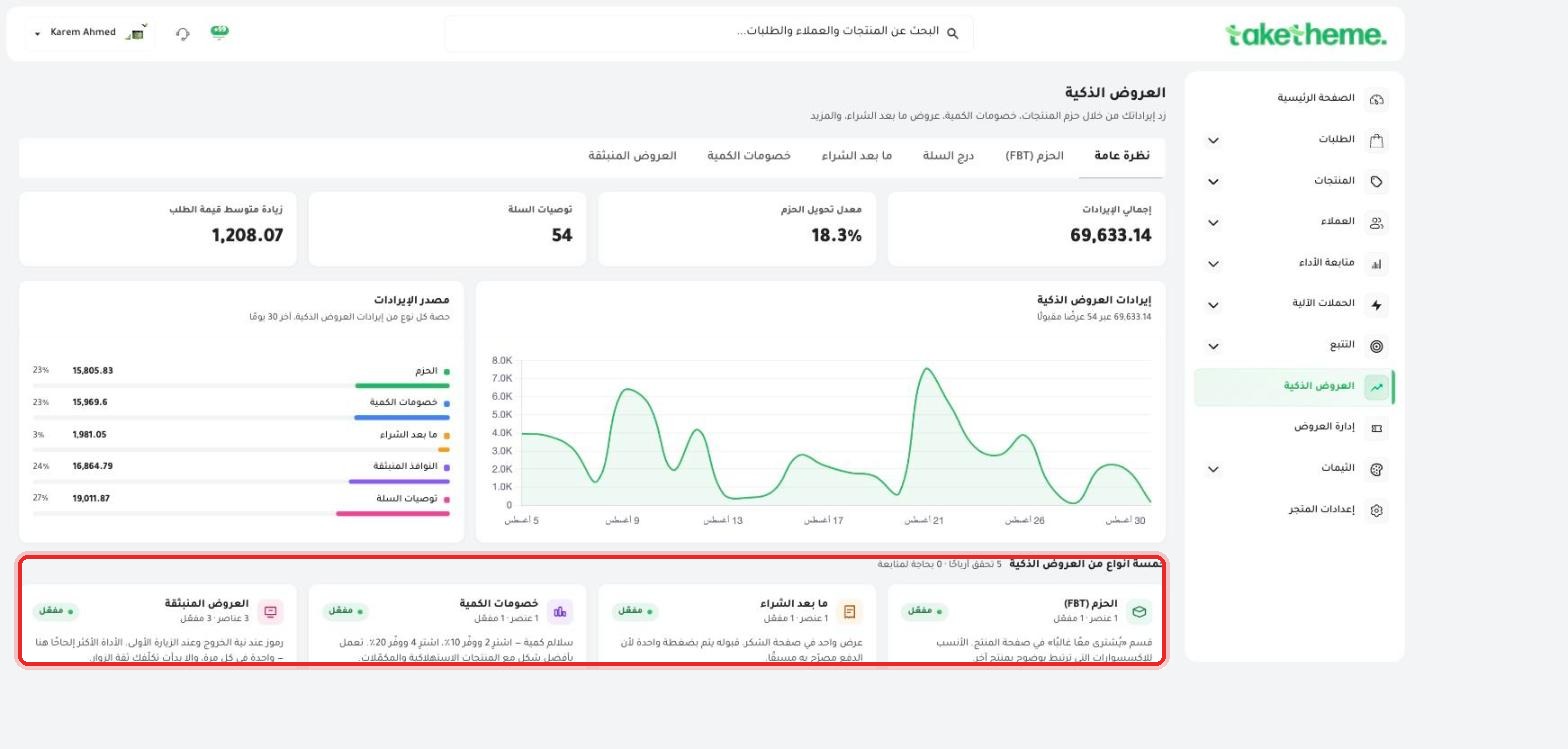
📍 Smart Offers page — overview confirming "five types of smart offers" with revenue breakdown per type
🔧 The five types of smart offers
1 — Bundles (FBT / Frequently Bought Together): the "Frequently bought together" section on the product page, suggesting complementary products for the product the customer is viewing.
2 — Cart Drawer: product recommendations that appear inside the side cart drawer the moment any product is added.
3 — Post-Purchase (Upsell): an offer that appears on the thank-you page right after checkout is completed, a last chance to offer an additional product.
4 — Quantity/Volume Discounts: discount tiers based on quantity, such as "Buy 2, save 10%; buy 4, save 20%."
5 — Popup Offers: discount codes or promotional messages that appear in a popup window while browsing the store.
1
From the sidebar, open Marketing → Smart Offers, and browse the tabs at the top to move between the five types.
2
Each type has its own page with a list of created offers, and a standalone Create button to add a new offer of that type.
💡 From the "Overview" tab you can see the revenue source and its breakdown across the five types combined, and the conversion rate of each type, so you know which type is delivering the best results in your store.
❓ Frequently Asked Questions
Are smart offers the same as coupons?
No, Smart Offers is a system separate from Discounts/Coupons — see the "Coupons and discount rules" article for details on the code system.
Can I enable more than one type at the same time?
Yes, the five types are independent of each other, and you can enable any number of them at the same time based on your store's strategy.