How to handle partial order fulfillment and track pending orders.
Last updated: 2026-09-09
We reviewed every available order filter option in the dashboard in detail (Status, Payment status, Fulfillment status, Delivery status), and found no separate value called "Partial" in any of them. The actually available values are:
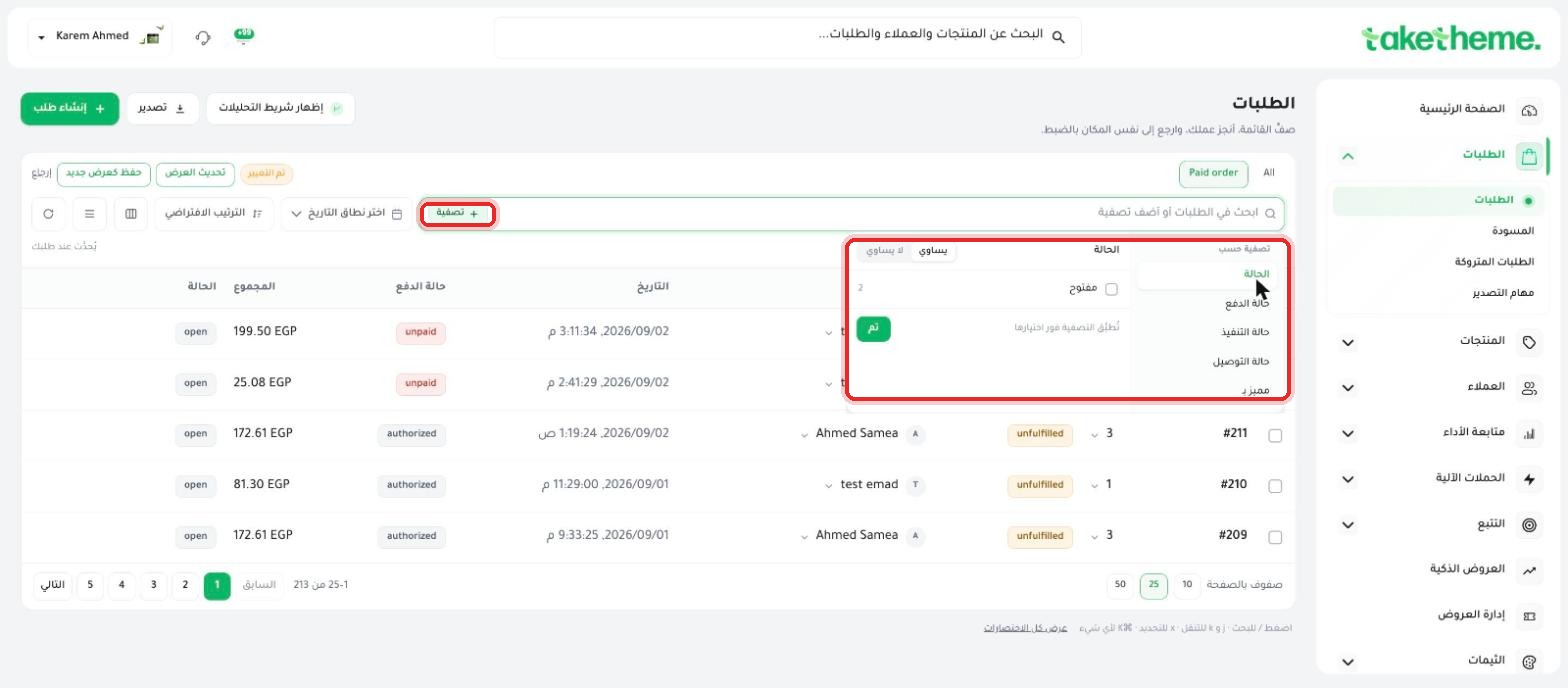
📍 The order filter panel — the available values for each status, with no separate "Partial" value
Despite there being no separate "partial" status at the overall order level, TakeTheme does support partial fulfillment at the item level: you can ship part of an order's products now and the rest later if stock isn't enough or shipping will happen in two batches.
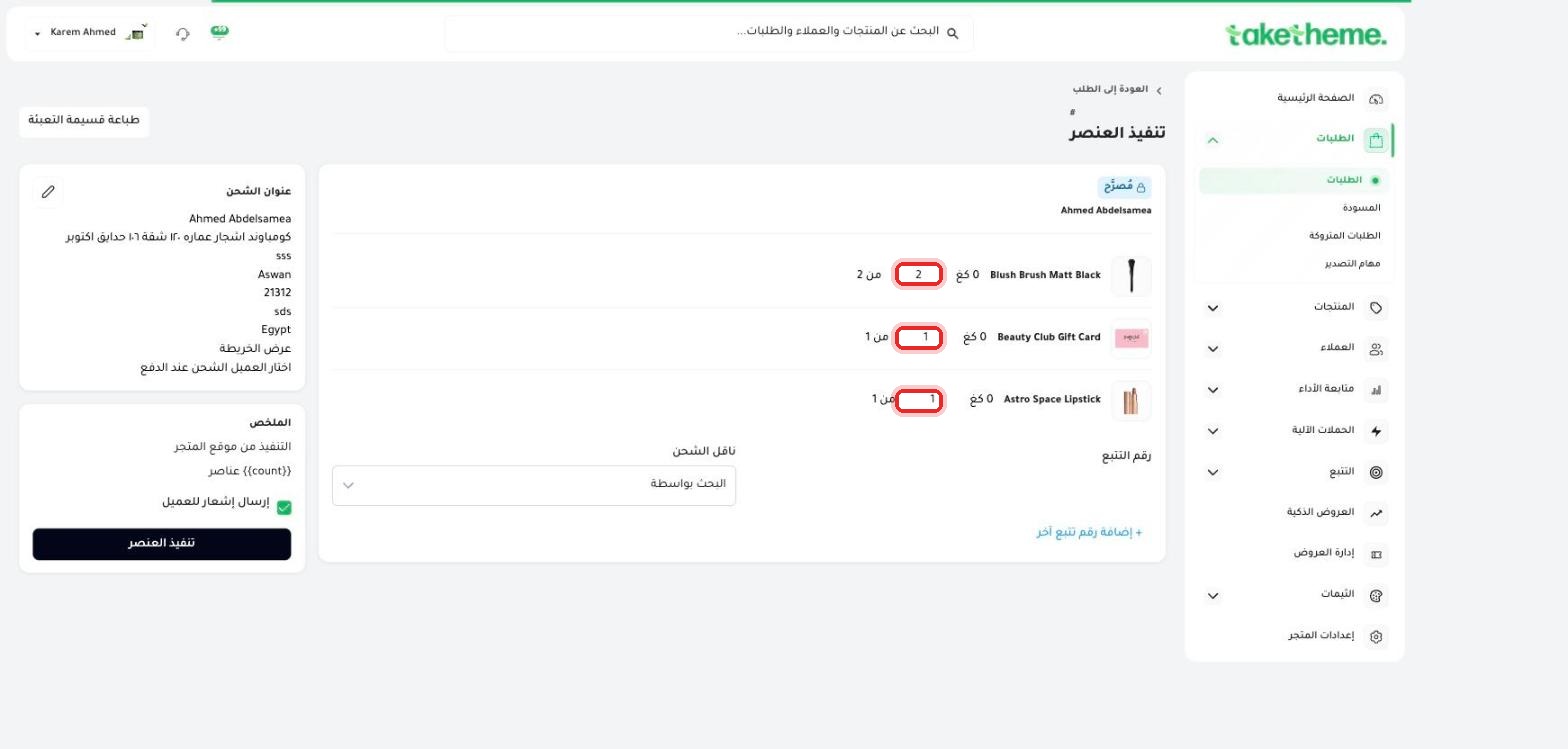
📍 The fulfill item page — editable quantity fields for each product, allowing you to ship only part of the order
A "pending order" isn't a separate official term in TakeTheme — it usually refers to any order still in an Unpaid or Unfulfilled status, meaning it still needs an action from you (collecting payment or shipping). Use the filter panel (Filter → Payment status / Fulfillment status) to easily view and track these orders.
No, we didn't find a separate value with this name in any of the filter options. Partial fulfillment happens at the quantity level within the fulfill item page itself.
From Filter orders → Payment status → Unpaid, you'll see every order that hasn't had its payment collected yet.
This depends on the order notification settings you have enabled — see the "Customer order notifications" article for details on channels and timing.
ابدأ اليوم
3-day trial · no credit card

