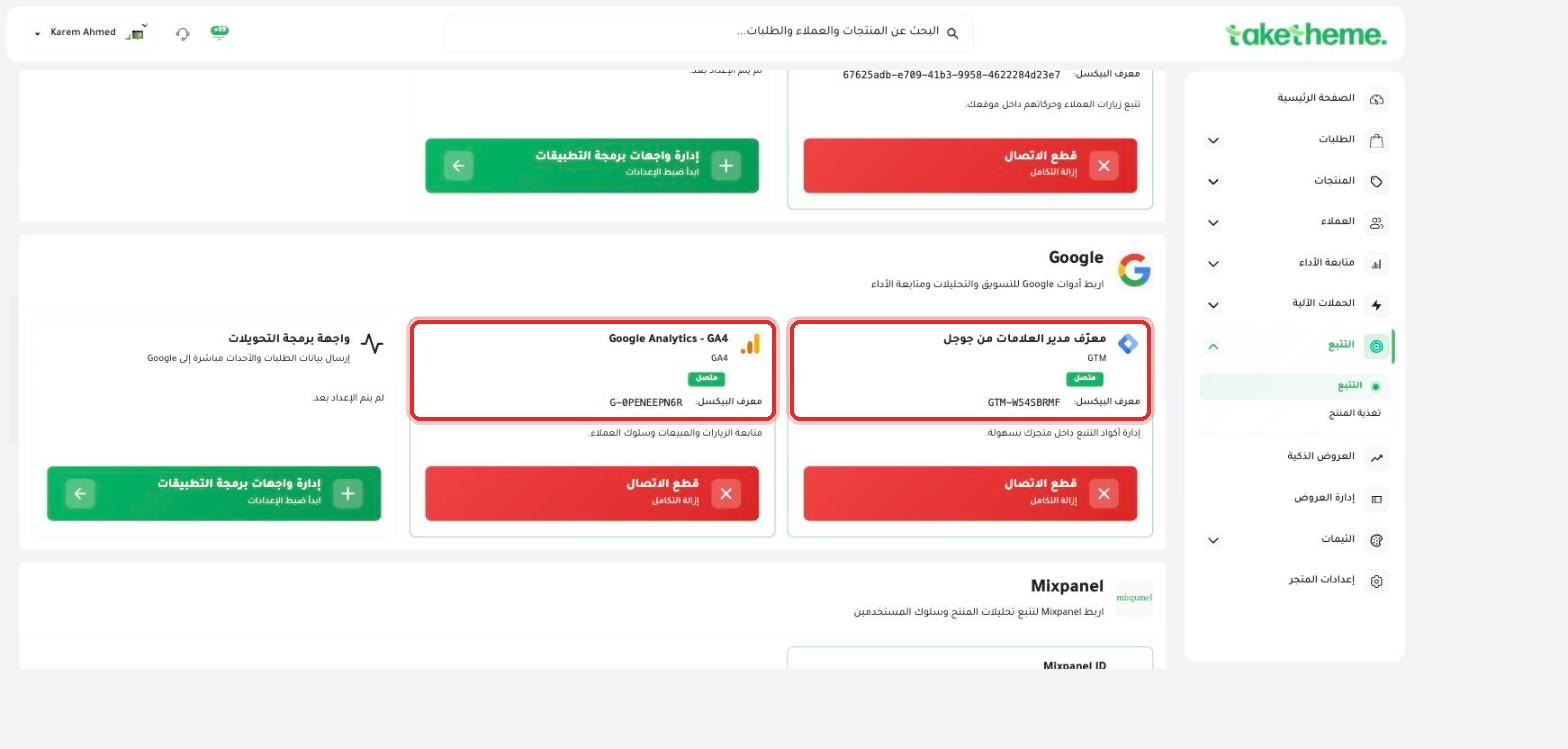
Review these items before spending any advertising budget.
Last updated: 2026-09-09
🔧 Checklist before launching any ad campaign
Before spending any advertising budget on Meta, TikTok, Snapchat, or Google, review these items in the TakeTheme dashboard to ensure accurate tracking of your campaign's results:
✓ The platform's pixel (Meta / TikTok / Snapchat) is connected and its ID appears on the tracking page.
✓ The Conversions API (CAPI) is enabled for the same platform — to reduce data loss caused by ad blockers.
✓ A test purchase has been made and a Purchase event appeared in the platform's event testing tool (see the "Testing events and confirming tracking" article).
✓ The Product Feed is exported and active if the campaign will show products (Catalog Ads) — see the "Product feed" article for connection details.
✓ Google Analytics 4 is connected to track the behavior of visitors coming from the campaign after clicking the ad.
✓ The landing page (product or store) is ready: clear images, correct price, and enough stock to cover expected demand.
✓ A discount code or smart offer (if the campaign is tied to a specific offer) is enabled and actually working before spending begins.
📍 Make sure all tracking tools are connected before launching any paid ad campaign
💡 The most common mistake that wastes an advertising budget is launching a campaign before confirming tracking is working — if the pixel isn't working correctly, you'll spend money on ads without being able to measure their real result.
❓ Frequently Asked Questions
Do I need to review this checklist for every new campaign?
If tracking was already confirmed before and no major change has happened in the store, you don't need to redo every step — but a quick review (especially testing the Purchase event) is recommended before any big-budget campaign.