The difference between the two tools, and when you need each one.
Last updated: 2026-09-09
🔍 Google Tag Manager vs. CAPI — what's the difference?
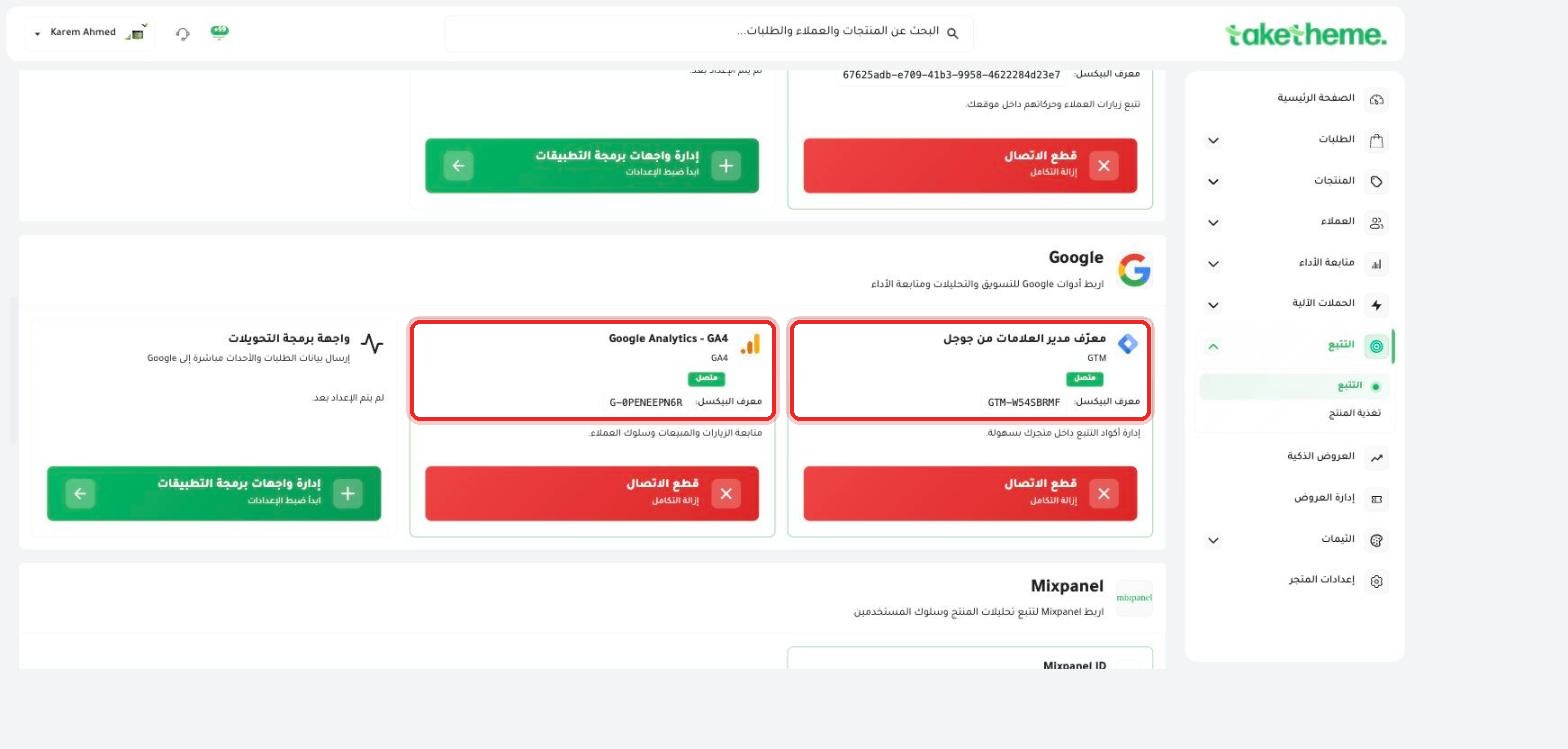
We reviewed the Google section on the tracking page, and found that TakeTheme supports both together as two separate, complementary tools, not alternatives to each other:
📍 Google section on the tracking page — Google Analytics 4 and the Google Tag Manager (GTM) ID are already connected
Google Tag Manager (GTM): a client-side tracking code management tool — it lets you add and manage multiple tracking codes (pixels, analytics) from one place without editing the site's code directly each time.
Conversions API (CAPI): sends event data directly from the TakeTheme server to the ad platform's servers (Meta, TikTok, Snapchat) — without going through the customer's browser, and therefore more accurate and resistant to ad blockers.
1
GTM manages tracking codes that run inside the customer's own browser.
2
CAPI sends the same event data (or complementary data) directly from the TakeTheme server, as a parallel and more accurate tracking layer.
3
The optimal practical use is enabling both together: GTM to flexibly manage codes, and CAPI for each ad platform to ensure accurate conversion data even if the browser blocks the pixel.
💡 We noticed that the Google Tag Manager ID (GTM-W54SBRMF) and the Google Analytics - GA4 ID (G-0PENEEPN6R) were both already connected in the test store.
❓ Frequently Asked Questions
Do I have to use GTM and CAPI together?
It's not mandatory, but it's best practice — GTM to easily manage codes, and CAPI for each ad platform to improve conversion data accuracy.
Does GTM eliminate the need to connect Meta, TikTok, and Snapchat pixels directly?
No, connecting pixels from the tracking page in TakeTheme is direct and separate from GTM — GTM is an additional tool for managing other tracking codes you might need.
Tracking & AdsGoogle Tag ManagerCAPIGoogle Analytics