A complete explanation of all 22 controllable sections, and the four ready-made roles.
Last updated: 2026-09-09
🔧 The Permissions System in Detail — 22 Selectable Sections
1
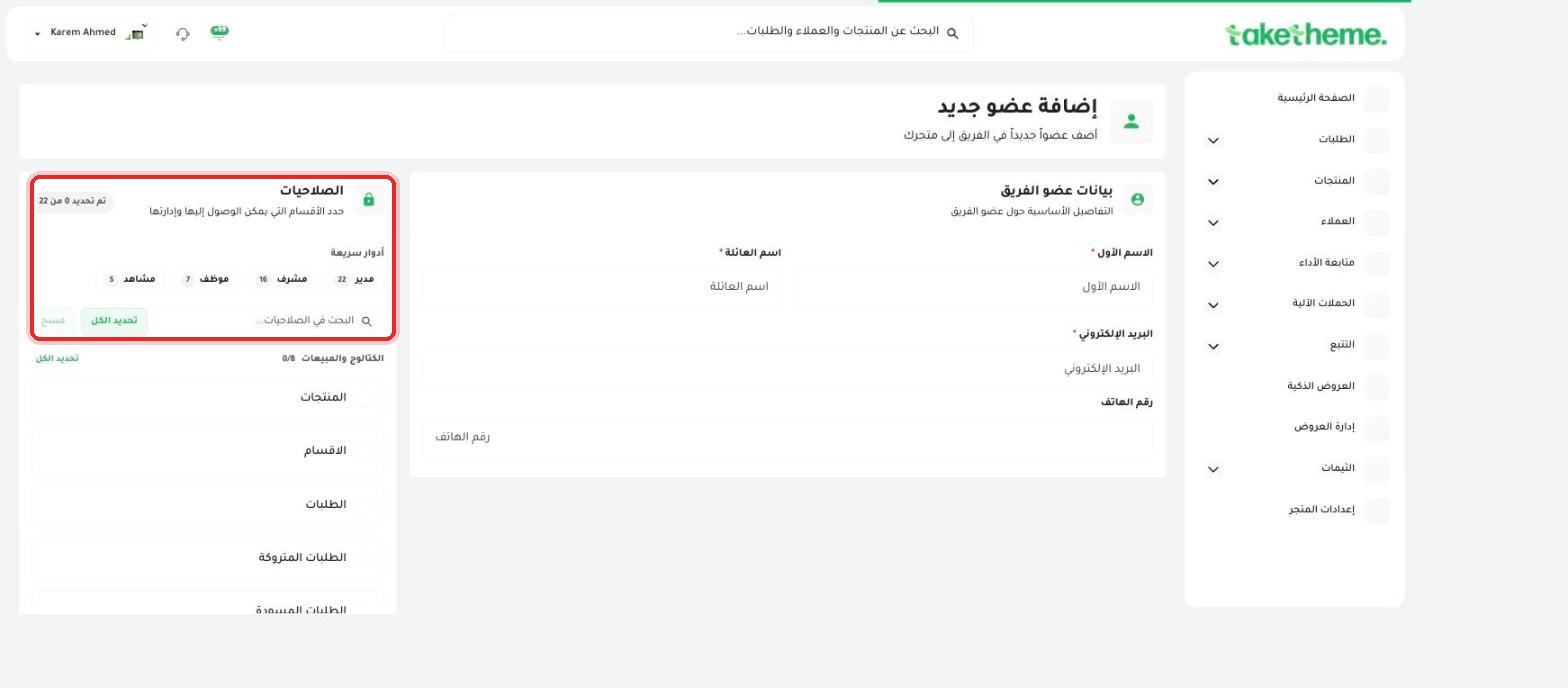
On the add or edit team member screen, the Permissions section shows a counter at the top of the page in the format "X of 22 selected" — meaning there are 22 independent sections in the dashboard, each of which you can grant access to separately.
📍 Permissions counter, permissions search box, and (Select All) and (Clear) buttons
2
Instead of selecting every section one by one, there are ready-made Quick roles that shorten the step: Admin (all 22 sections), Supervisor (16 sections), Employee (7 sections), and Viewer (only 5 sections, typically for viewing without editing).
3
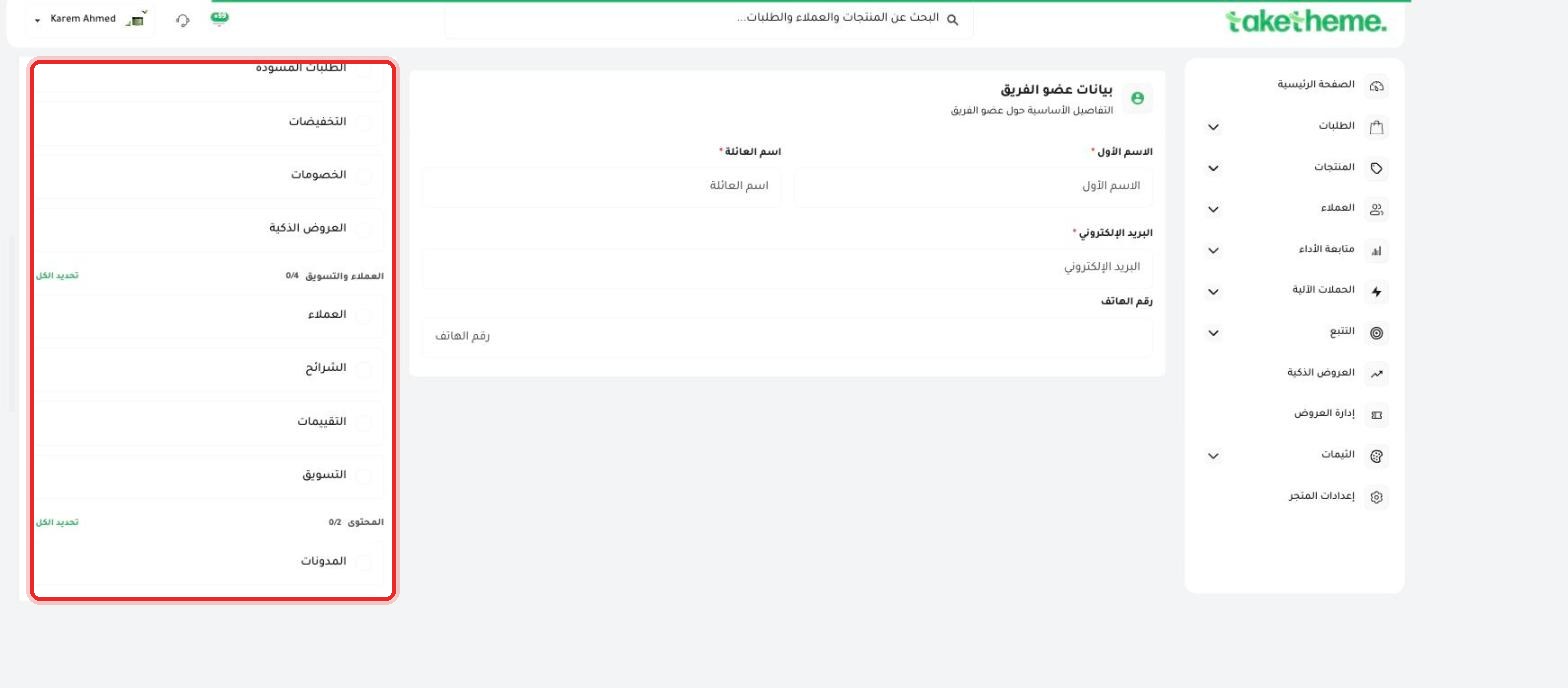
The sections are organized into logical groups. The Catalog and Sales group (8 sections): Products, Categories, Orders, Abandoned Orders, Draft Orders, Sales, Discounts, Smart Offers.
📍 Catalog and Sales permissions group with a 0/8 counter
4
The Customers and Marketing group (4 sections): Customers, Segments, Reviews, Marketing. The Content group (2 sections): Blogs + another section. An independent toggle for Theme permission (on/off).
5
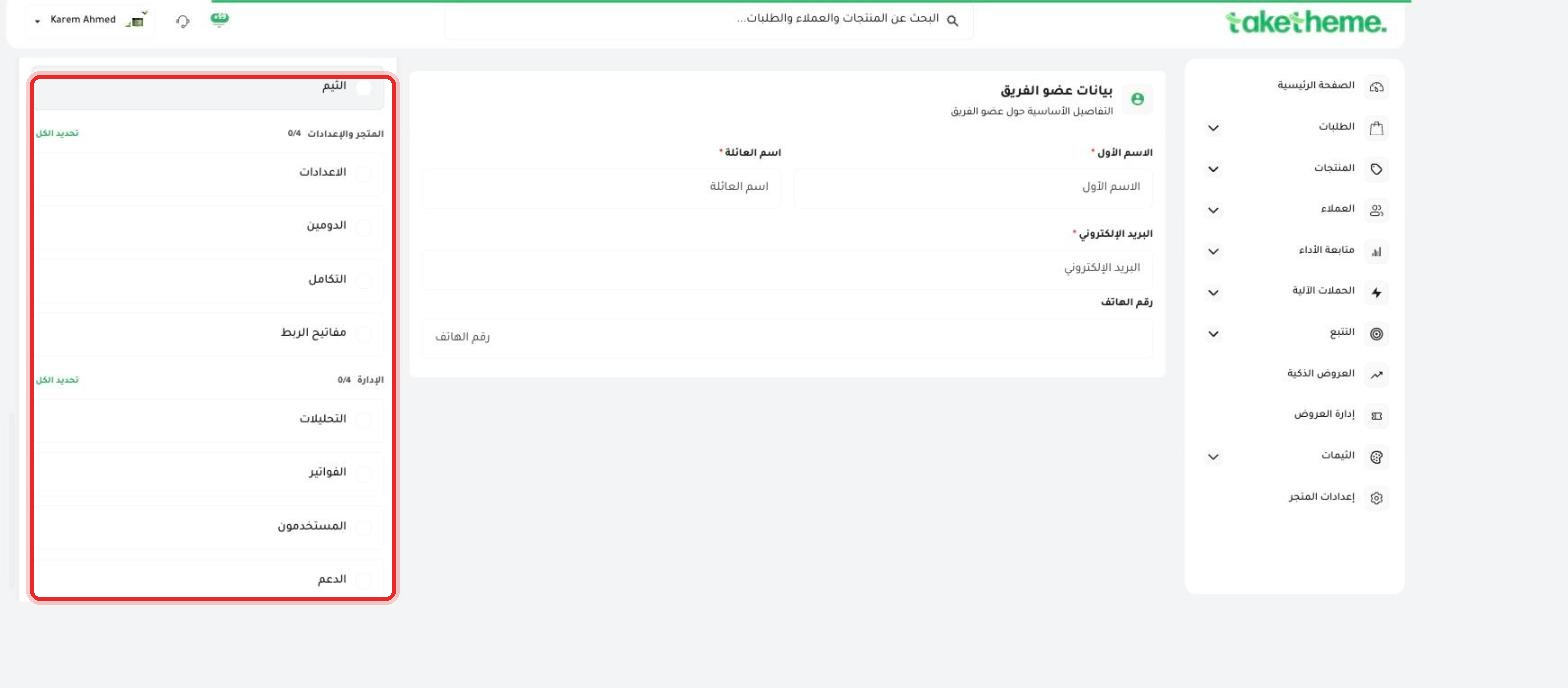
The Store and Settings group (4 sections): Settings, Domain, Integrations, API keys. The Administration group (4 sections): Analytics, Billing, Users, Support.
📍 The (Store and Settings) and (Administration) groups at the bottom of the permissions list
💡 The "Billing" item within the Administration group means that any employee it's enabled for can view or edit your store subscription's financial data — enable it only for members who genuinely need that access.
❓ Frequently Asked Questions
What's the difference between the "Supervisor" and "Employee" roles?
Supervisor accesses 16 of the 22 sections (nearly everything except a few sensitive administration settings), while Employee accesses only 7 sections — typically the day-to-day operational sections like Orders and Products.
If I use a quick role like "Employee", can I still edit it afterward?
Yes, choosing a quick role sets a group of sections as a starting point, and you can then add or remove individual sections beyond the base role.