Receive your store's events (orders, updates) as signed HTTP requests on your own server.
Last updated: 2026-09-09
🔧 Setting Up Webhook Endpoints
1
From the sidebar, open Store Settings, then choose Webhooks.
2
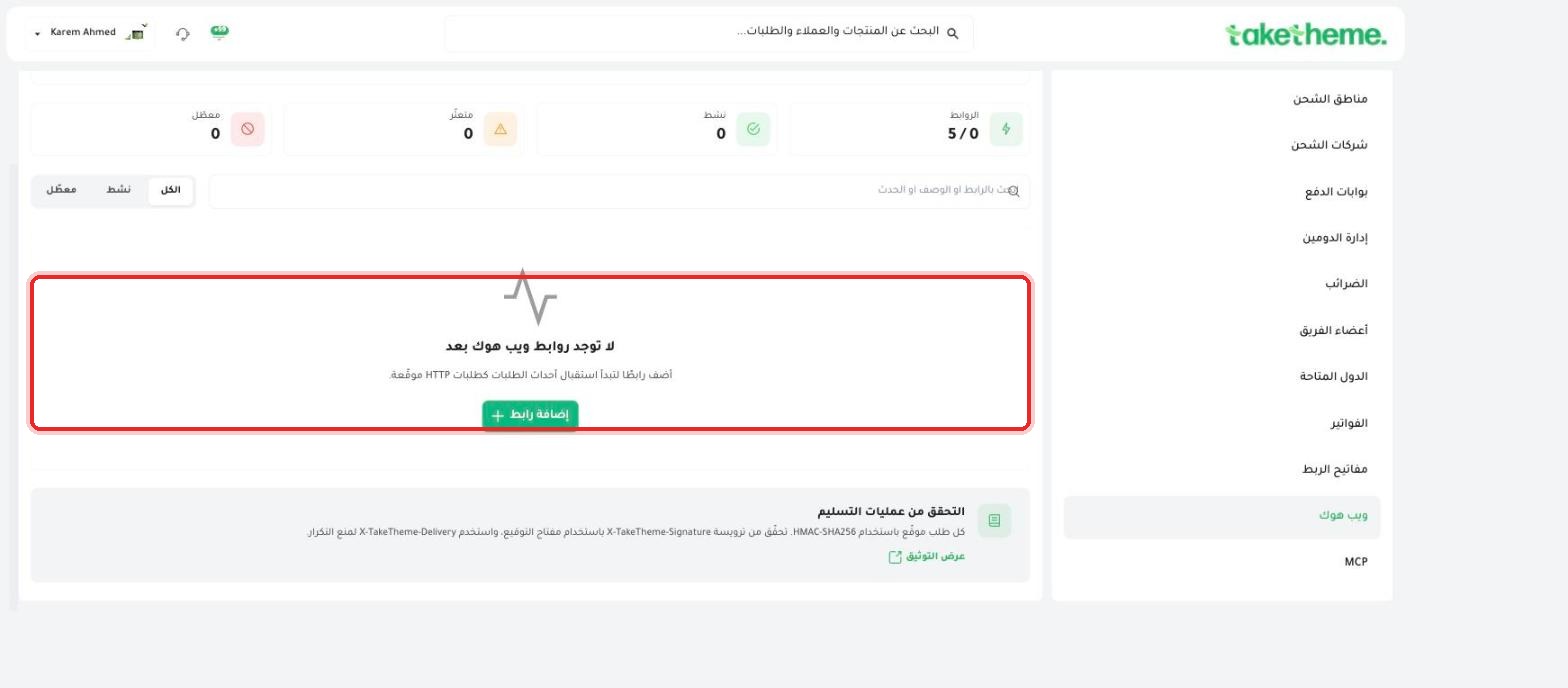
At the top of the page there are 4 counters: Disabled, Failing, Active, and Endpoints (shown as X/Y indicating how many endpoints are used out of the total allowed — it was 5/0 in the store we tested, meaning a maximum of 5 endpoints with none added yet).
📍 Empty state (No webhook endpoints yet) and an (Add Endpoint) button
3
Click + Add Endpoint to connect a URL on your own server, so that your store automatically starts sending it signed HTTP requests whenever certain events occur (such as a new order or an order status update).
4
Use the filters at the top of the list (All / Active / Disabled) and the search box by URL, description, or event to track your endpoints after adding them.
5
At the bottom of the page, the Verifying Deliveries section explains the security mechanism: every request is signed using HMAC-SHA256, and is verified via the X-TakeTheme-Signature header using your signing key, along with an X-TakeTheme-Delivery-ID header to prevent duplication.
💡 The "View Documentation" link at the bottom of the page takes you to complete documentation about the request format and supported events — review it before you start writing actual receiving code on your server.
❓ Frequently Asked Questions
What's the maximum number of webhook endpoints I can add?
The counter we saw at the top of the page displayed "5 / 0" — indicating a maximum of 5 endpoints per store on this plan, but we did not verify whether this limit varies by subscription plan.
What's the difference between the (Failing) and (Disabled) statuses?
Most likely "Disabled" means an endpoint you manually turned off, while "Failing" means an active endpoint whose most recent delivery attempts failed (for example, because the receiving server didn't respond) — we did not test either scenario directly since there were no endpoints added on the test account.