Split your customers into custom segments based on purchase behavior to target them with more precise campaigns.
Last updated: 2026-09-09
🔧 Steps to segment customers (Segments)
1
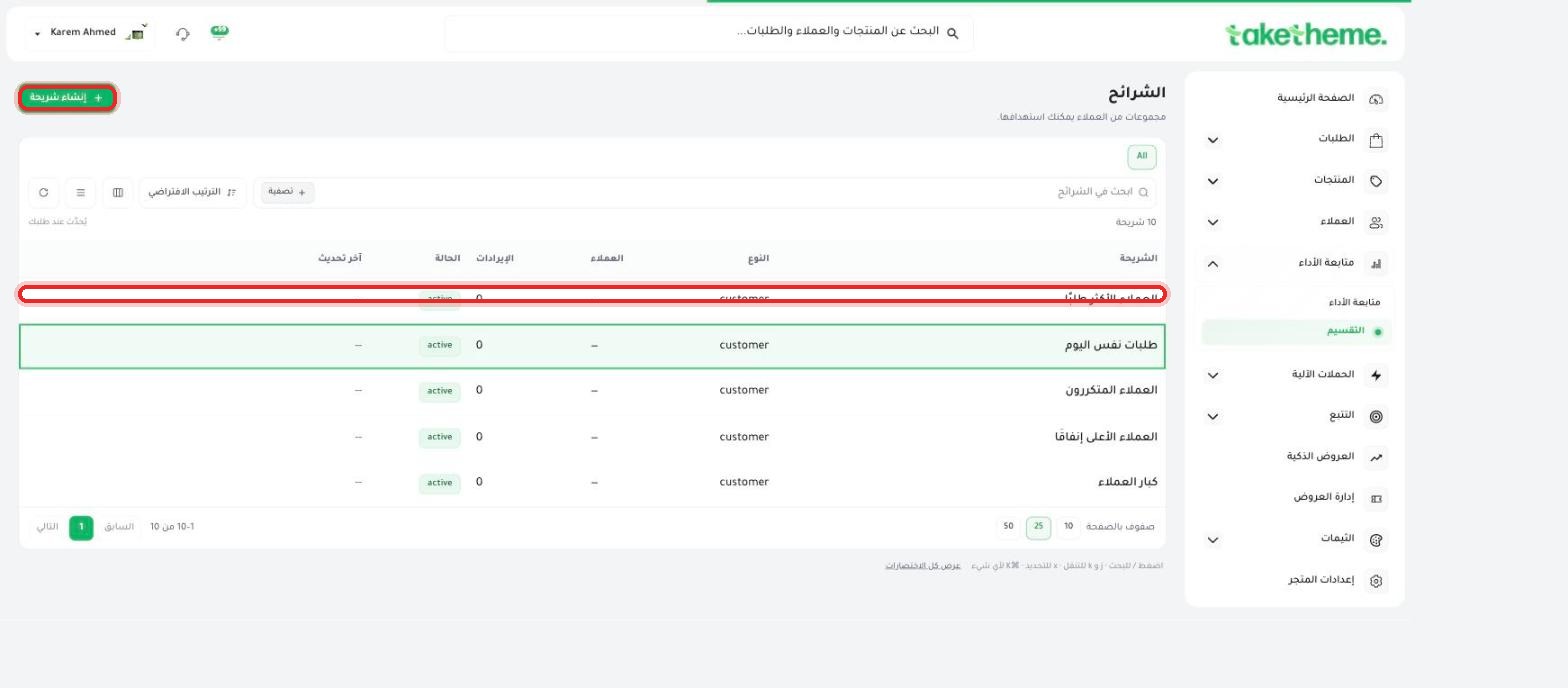
From the sidebar, open Performance Tracking → Segmentation. You'll find the Segments page with 10 ready-made, pre-built segments like: Most-ordering customers, Same-day orders, Repeat customers, Top spenders, and VIP customers.
📍 Segments page — 10 ready-made customer segments, and a "+ Create segment" button for a custom segment
2
Open any ready-made segment (by clicking its name) to see its details: number of members, top products purchased by customers in this segment, and "Overview / Members / Timeline" tabs.
3
To create a custom customer segment, click + Create segment, enter a name and description for it, and make sure the Segment type is set to "Customer segment."
4
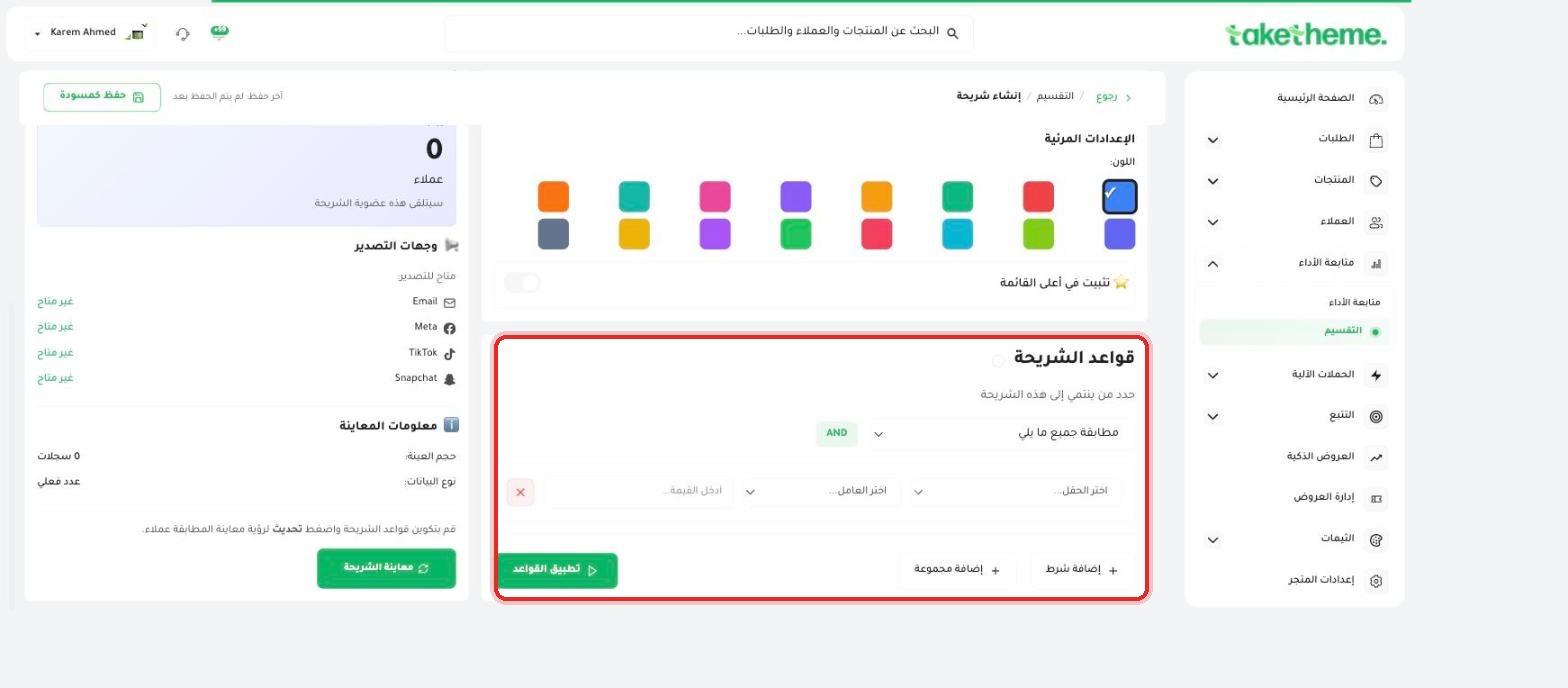
In the Segment rules section, set the conditions a customer must meet to be included in the segment (for example: total spend greater than a certain figure, number of orders, or last order date), and choose whether the conditions must all be met together (AND) or just one of them is enough (OR). You can add more than one condition with the + Add condition button, or a whole group of conditions with the + Add group button.
📍 Segment rules — setting the field, operator, and value for each condition, with AND/OR support
5
Click Preview segment to see how many customers the rules match before the final save, then Apply rules to save it.
💡 We noticed in the "Export destinations" section that exporting the segment directly to Email, Meta, TikTok, and Snapchat showed a "Not available for export" status in the test environment at the time of review — the segment itself saves and works normally inside the dashboard, but direct integration with these external channels appears to be tied to a specific setup or plan that we were not able to fully verify the details of.
❓ Frequently asked questions
Do segments update automatically when customer data changes?
Yes, a segment is built on dynamic rules, so if a customer meets the conditions after the segment was created (their spend increased, for example), they'll be included in it automatically on the next update, and you can click the "Refresh" button on the segment page to update it manually at any time.
Can I build a segment based on products instead of just customers?
Yes, when creating a new segment you can set the "Segment type" to "Product segment" instead of "Customer segment," and build rules based on product data instead of customer data.
Why would I use customer segmentation in the first place?
Customer segmentation helps you target specific groups with tailored offers or messages, like sending a discount coupon to your top spenders, or reminding customers who haven't ordered in a while.