
Processing Orders and Updating Their Status
Prepare orders, collect payments, and track their status step by step.
Last updated: 2026-09-27
🔧 Steps to process an order and update its status
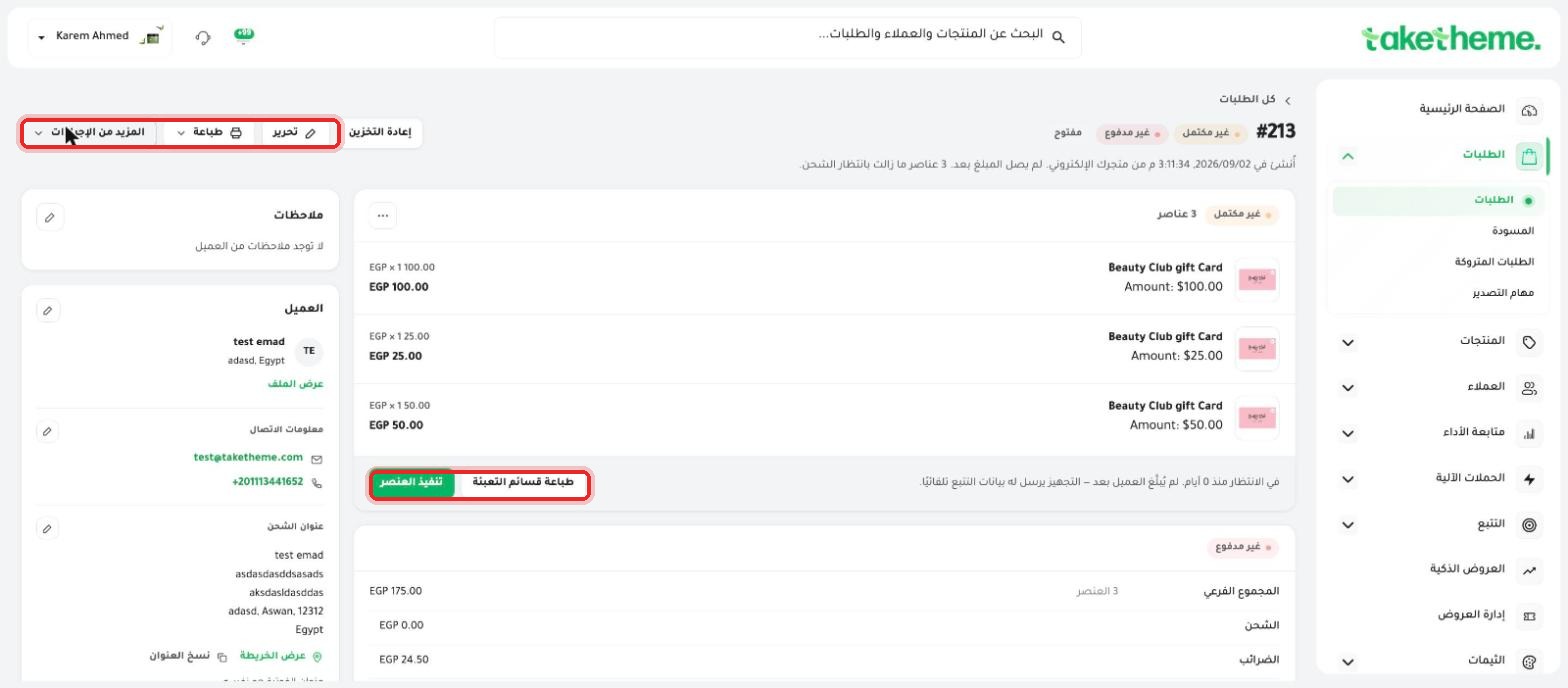
📍 Action buttons on the order page: Restock / Edit / Print / More actions at the top of the page, and Fulfill item and Collect payment next to each section
❓ Frequently Asked Questions
What's the difference between fulfillment status and payment status?
Fulfillment status tracks whether the product has been prepared and shipped to the customer or not, and payment status tracks whether the order value has been collected or not — the two are independent of each other and can change at different times.
Is there an automatic notification to the customer when I fulfill an item?
Yes, as soon as you click Fulfill item, the customer automatically receives an email with the shipping details and tracking number.
What's the difference between Send invoice and Collect payment?
Send invoice sends the customer a payment link they complete themselves, while Collect payment is used when you've already received payment another way (like cash on delivery) and want to record it manually in the system.

ابدأ اليوم
Plans from EGP 599/month — 0% commission
3-day trial · no credit card