Add extra data to your products that isn't in the standard form.
Last updated: 2026-09-09
🔧 Steps to add custom fields to products
1
From the sidebar, go to Products → Custom Fields, and choose the Product or Variant tab depending on which level you want to add the field to.
2
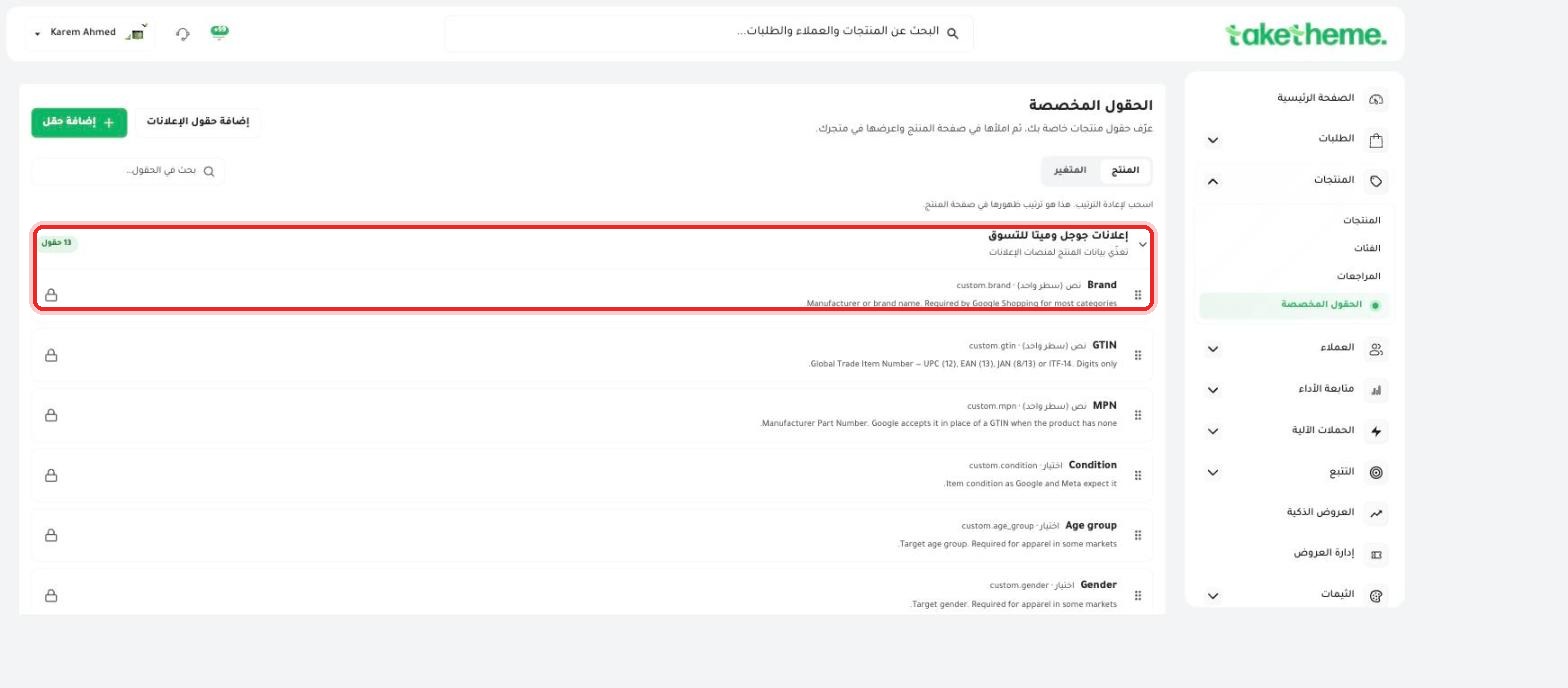
You'll find a ready-made field group called Google & Meta Shopping Ads (13 fields), locked behind a lock icon — designed specifically to feed product data to ad platforms, like Brand, GTIN, MPN, and Condition.
📍 Ready-made Google & Meta Shopping Ads field group, with the Brand and GTIN fields as an example
3
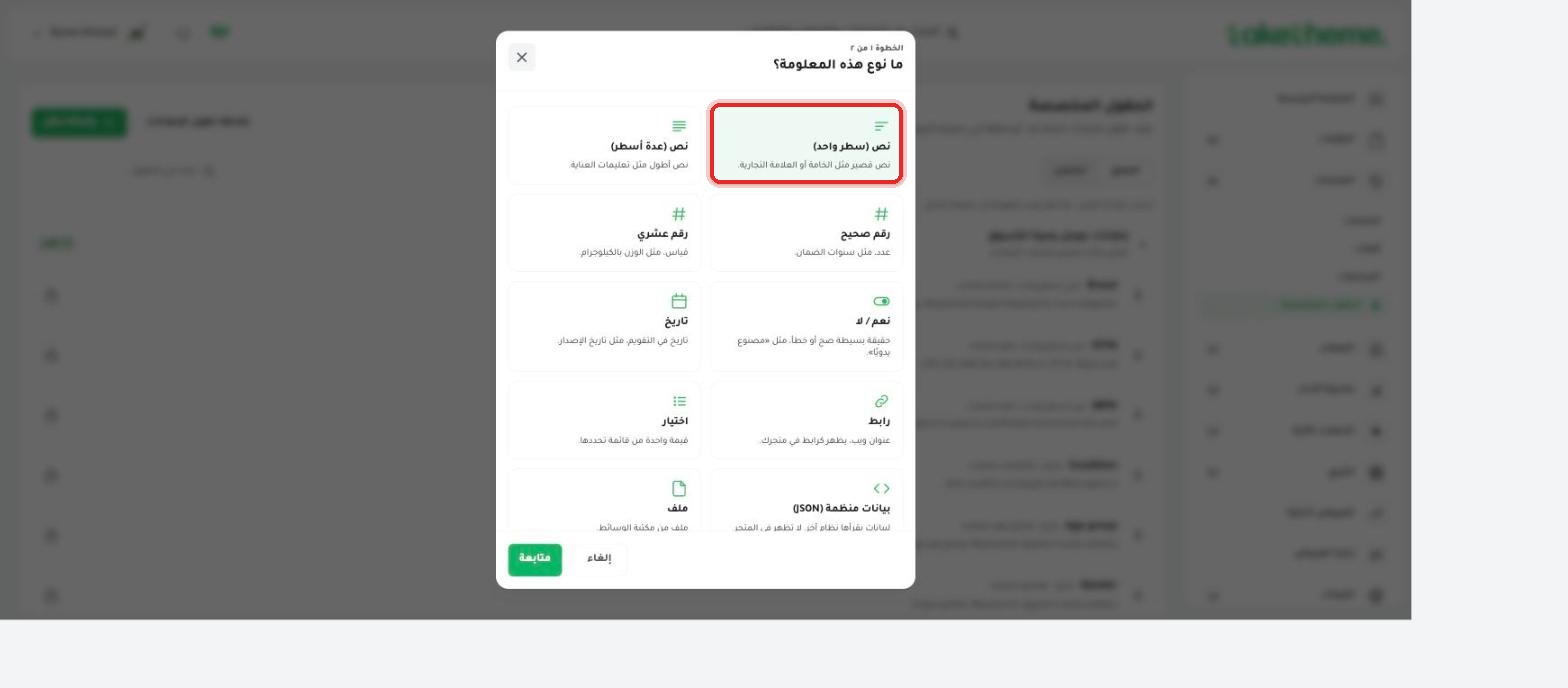
To add a field of your own, click + Add field, and choose the right data type in the first step: text (single line or multiple lines), number (decimal or integer), date, yes/no, choose from a list, link, file, or structured JSON data.
📍 Available field types when creating a new custom field
4
After creating the field, go back to any product and you'll find it showing under the Custom Fields section at the bottom of the product edit page, ready to fill in.
💡 Custom fields are useful for data that isn't originally part of the standard product form — like detailed measurements, product materials, or any technical information you want to show on the product page on your store.
❓ Frequently asked questions
Do custom fields appear automatically on the product page on the storefront?
Their appearance on the front end depends on how the store's Theme itself is configured — the field can be filled in from the dashboard, but showing it to the customer requires wiring it into the theme's design.
Are the Brand, GTIN, and MPN fields mandatory?
No, they are ready-made fields that help you prepare your product data for ad platforms like Google Shopping, but they're not mandatory unless you rely on those platforms for advertising.
Can I use the same custom field for all products?
Yes, any field you create appears on all your products (or all variants, depending on the tab you created it from), and you can fill it in or leave it blank for each product individually.